

PDFEditor - Read & Annotate is an Android app for finding, reading, organizing, and marking up PDF files on your phone. It brings your PDFs into one place and combines document search with tools for annotating content and changing how files are arranged. You can highlight passages, add freehand doodles, merge or split PDFs, and reorder pages. Its clearest benefit is keeping these related tasks together, with favorites and a recent section helping you return to documents you use or edit.
How can you find and organize your PDFs?
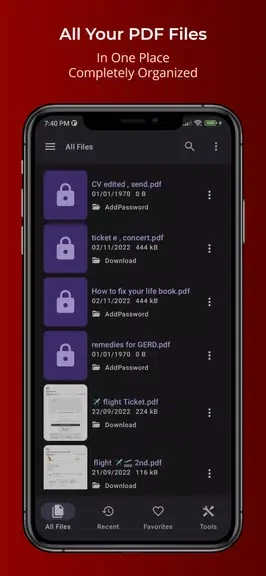
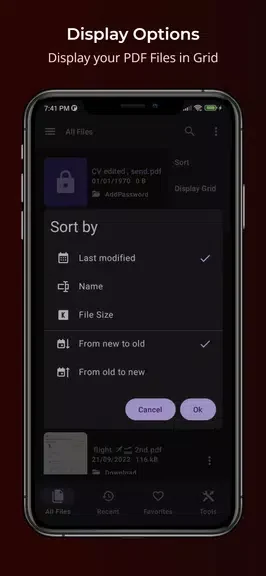
The app gathers your PDF files in one place, where you can search for a document rather than browse the full collection. You can display files in a grid or list and choose from different sorting options.
A favorite button lets you keep frequently used PDFs accessible. The recent section provides another route back to your work by showing recently edited files.
What kinds of annotations can you add?
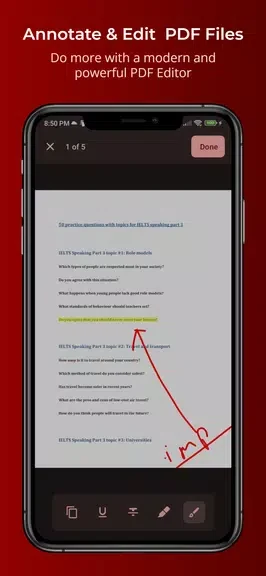
The editor supports text selection, highlighting, underlining, and strikethrough. These tools let you mark passages in different ways, while the doodle tool lets you add freehand marks to a document. For reading, the app also includes a night mode as an alternative viewing option.
Can you combine documents or change their page order?
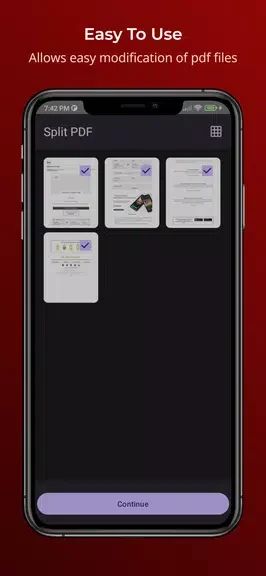
You can merge PDFs, split them, and reorder pages within the app. These functions address document structure separately from annotations: you can combine files, divide a PDF, or change the sequence of its pages. PDFs can also be shared to other apps.
Does it include controls for locking PDF files?
PDFEditor - Read & Annotate includes options to lock and unlock PDF files. Alongside its organization and markup tools, this makes it relevant to people who regularly manage PDFs on their phone and need both document-level controls and ways to review content.