

Pathbuilder 2e helps Pathfinder 2e players plan and manage a character in one digital workspace. Instead of recording build choices on paper or repeatedly consulting rulebooks, users can enter selections for skills, feats, equipment, and spells, then refer to the resulting character during a game. The app also supports exporting a character as a PDF, giving players a printable sheet alongside the in-app option. This makes it useful both for preparing a character and for keeping its key details available during play.
Character creation and build planning
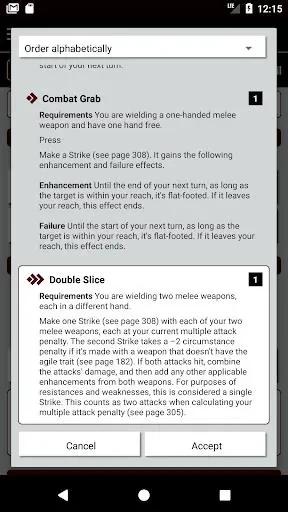
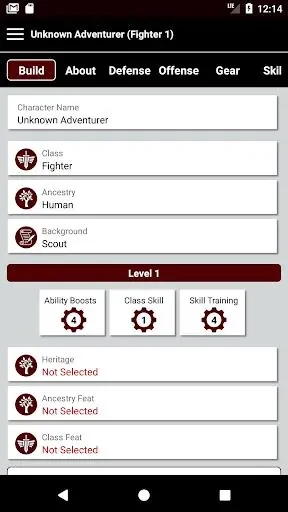
The app provides an interface for selecting a character’s race, class, feats, skills, and equipment. These choices can be organized as part of a broader build, allowing players to explore different combinations before settling on a character. The available customization also includes multiclassing options and abilities, so users can shape characters around different play styles rather than relying on a single fixed setup.
An interactive sheet for gameplay
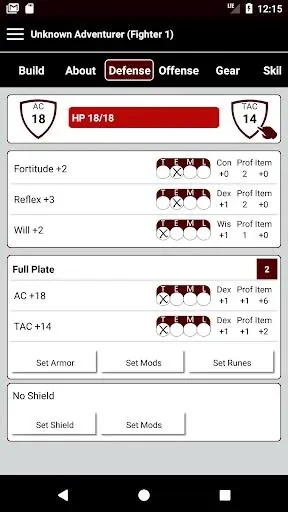
Once a character has been configured, Pathbuilder 2e presents the information in an interactive digital character sheet. The sheet calculates stats, bonuses, and modifiers automatically, reducing the need for manual arithmetic while the game is in progress. Keeping these details together can make it easier to move from character planning to practical use at the table.
Offline access and PDF export
Character builds can be accessed offline, which allows users to review them without an internet connection. The app also offers PDF export, providing another way to use or share the completed character information. Together, these options support both digital play through the app and printed reference during a session.
Availability and account use
Pathbuilder 2e is available for free with optional in-app purchases for advanced features and content. The source information says that the app can be used on multiple devices when an account is linked to it. It does not currently support importing characters from external sources, so characters from elsewhere need to be entered in the app.