
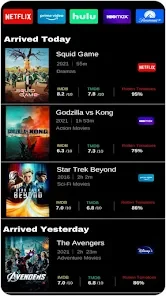
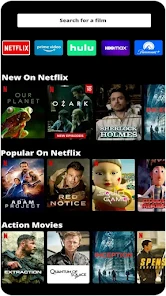
Oneflix helps you browse content from multiple streaming services in one place. Instead of searching each catalog separately, you can use the app to explore titles from services including Amazon Prime Video, HBO Max, Disney Plus, and Hulu. Its focus is on finding and discussing shows and movies across those services.
Browse across streaming services
The unified dashboard brings together listings from multiple platforms, so you can browse their content through Oneflix. The services named in the description include Amazon Prime Video, HBO Max, Disney Plus, and Hulu, along with other streaming services. The app is described as a way to bring these catalogs together for browsing; the available information does not specify that Oneflix provides playback or replaces access to the services themselves.
Search for where to watch
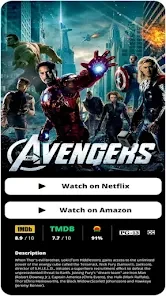
Oneflix includes a search feature for finding where a title is available across streaming services. This gives the app a discovery role alongside its broader catalog browsing: you can look for a particular piece of content and check which service it is associated with, rather than searching each platform individually.
Discuss and recommend titles
The app also has social features for sharing what you watch and finding out what friends are streaming or discussing. You can recommend shows and movies to friends and family, and post reviews or comments about streaming content. Reviews and comments from friends can also be viewed in the app, supporting discussion around titles people are watching.
Discover through your social circle
Friends’ viewing conversations and recommendations provide another way to encounter content alongside catalog browsing and search. Together, these features make Oneflix a place to explore titles across services, look up where they are available, and exchange opinions or suggestions with people you know.