

MyGram - messenger is a Telegram-focused messaging app that adds organizational and customization tools to everyday communication. Its separate tabs help users navigate chats by category, including users, groups, channels, bots, favorites, unread messages, and admin or creator chats. The app also supports multiple accounts, customizable themes and menus, a password- or pattern-protected hidden section, and proxy selection based on ping time. It may suit people who want to organize several kinds of chats or manage multiple accounts within one app. The source also describes a secretary feature for managing messages while offline.
How does MyGram organize chats?
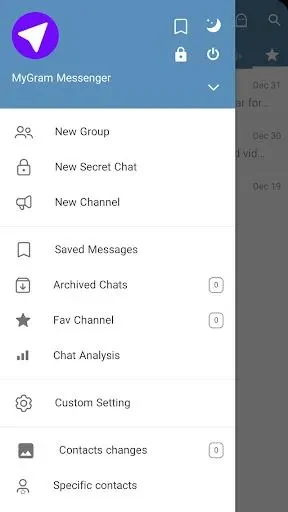
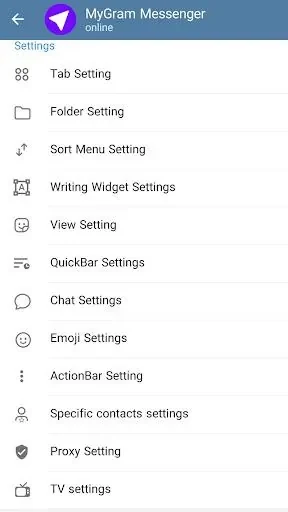
Chats can be accessed through separate tabs for users, groups, channels, bots, favorites, unread messages, and admin or creator chats. This category-based layout gives users different ways to find and sort conversations, while an editable main menu lets them tailor the menu to their preferences.
How many accounts can you manage?
MyGram describes its account system as supporting unlimited logins and up to 100 active accounts at once. The source also notes that settings such as notifications and privacy preferences can be managed separately for each account, alongside their respective chat histories.
What privacy and appearance controls are available?
A hidden section can keep chats and contacts out of the regular view, with password or pattern lock protection. Users can also customize the app’s theme and color scheme, so its appearance can be adjusted to their preferences.
How do the proxy and offline messaging features work?
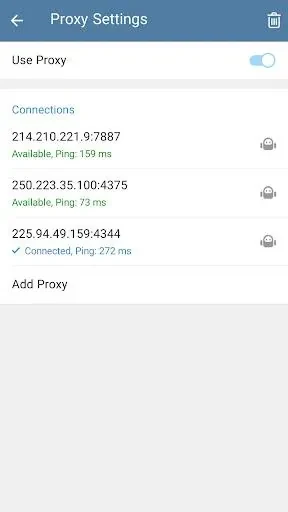
The proxy settings select an option based on ping time. The source also mentions a secretary feature for managing messages while the user is offline, but does not explain its specific actions or settings. These features may be relevant to users seeking connection controls or offline message management alongside the app’s organization and account tools.