
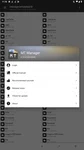
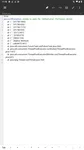
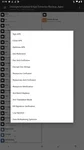
MT Manager is an Android file manager and APK editing utility for organizing storage, handling archives, and working with application files. Its file management tools cover internal storage, SD cards, and USB OTG devices, while its editing features support deeper changes to apps when root permissions are available.
Manage files across Android storage
The app supports common storage categories including downloads, videos, audio, images, applications, documents, and archives. Users can copy, move, and delete files, browse both internal and external locations, and inspect large files that may no longer be needed. A recycle bin is also provided for restoring deleted files.
Work with compressed archives
MT Manager can open, pack, and unpack ZIP and RAR archives. Its built-in archive handling allows files to be processed directly rather than requiring a separate decompression tool, according to the supplied description.
Transfer and view files
An FTP feature provides access to Android device storage from a PC. Supporting tools include a text editor and picture viewer, giving users ways to inspect certain files within the same utility.
Edit APK and application files
The app includes various APK editing tools. With superuser permissions, it can modify user and system apps and work with DEX, ARSC, and XML code. The documented editing options also include optimizing, cloning, signing, removing verifications, adding translations, and deleting unnecessary files from an app. Root access is required to take full advantage of these application-editing capabilities.