

Mobile Account Book HD Lite is a personal finance app for recording transactions, planning budgets and reviewing spending over time. It is listed in the Finance category and is designed to help a user keep track of money coming in and going out from one place on an Android device.
Tracking transactions across accounts
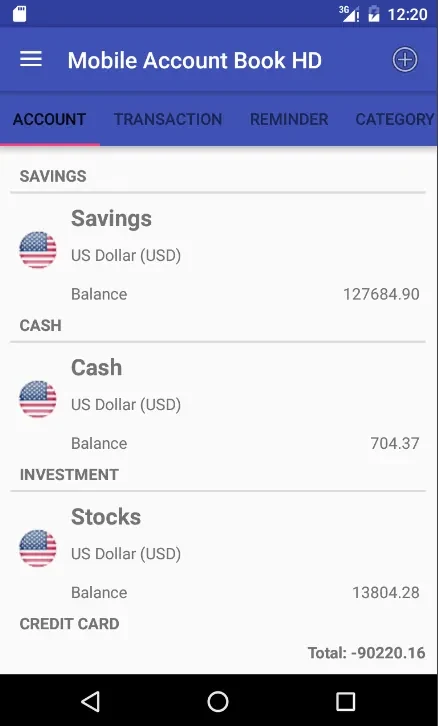
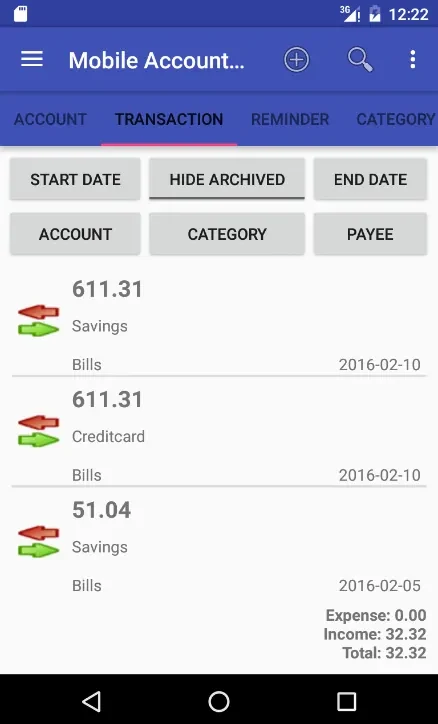
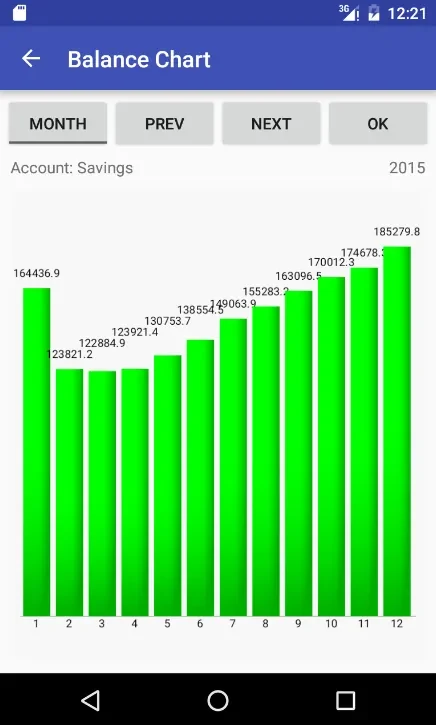
The app is built around logging financial transactions. According to the listing, it supports several account types, including savings, cash, credit cards and loans, and it can work with multiple currencies. Users can log and trace transactions, check account balances, and filter or search the transaction history by account, category, payee or date. Older transaction records can be archived so that current data stays organized and easy to reach.
Budgets and category planning
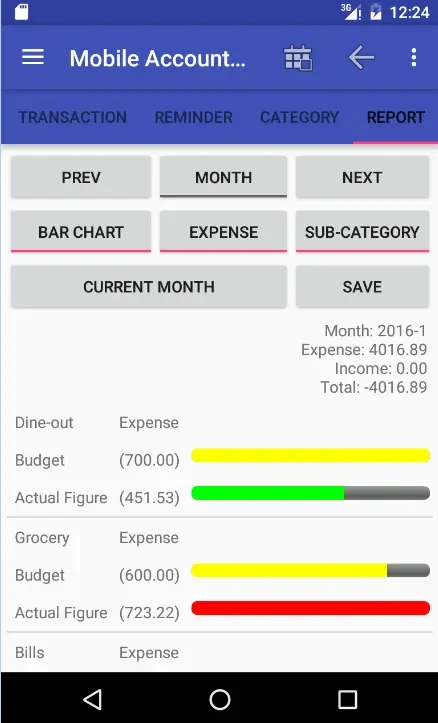
Budget planning is a central part of the app. Users can create their own budget categories and category hierarchies, which the listing offers as a way to track expenses in groups such as groceries, entertainment or vacation spending. The app also presents budget cash flow alongside account balances, so a user can see how planned amounts compare with actual activity.
Reports and export formats
The app can generate reports for a specified month or year. These reports compare actual transaction amounts against the budget, which the listing presents as a way to review spending habits. Reports can be saved as CSV or HTML files, which makes it possible to share them or analyze them in other tools.
Reminders, shortcuts and language options
Reminders can be set for recurring financial tasks such as bill payments or budget reviews. The listing also says transactions can be logged automatically, although it does not explain how that process works. Screen shortcuts can be set up for frequently used features, and the app is described as available in multiple languages, with German, Chinese and Korean named as examples.
Data protection and backup
The listing mentions password protection and database backup options as ways to protect financial information. It does not describe how these options are configured or what level of protection they provide, so users who need details should check the app's own settings. The supplied listing also does not state a minimum Android version.