
Overview
Micro Gesture turns phone movements and other triggers into shortcuts for common Android tasks. Its main controls use rotation along the phone’s X, Y, and Z axes: the default mappings can open notifications, go back, or show recent apps. You can adjust motion sensitivity and combine axes with rotation direction and count to define custom gestures. The app also includes built-in operations, volume-button triggers, and notification-based automation, bringing several shortcut methods together in one tool. Its clean interface is described as easy to understand, and its small size is intended to suit some lower-end devices.
What You Can Do
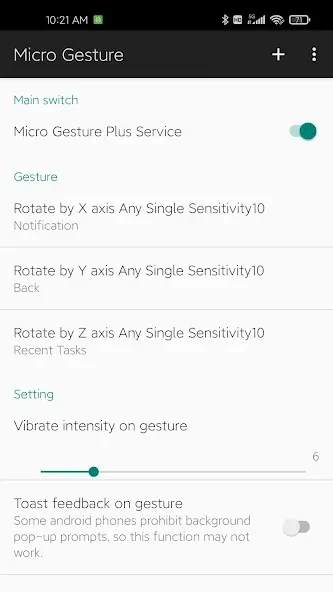
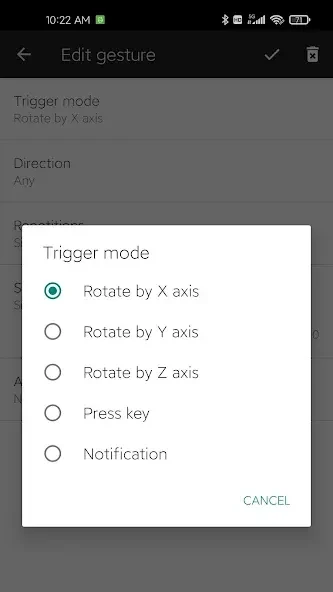
⭐ Use the three rotation axes as navigation shortcuts. By default, rotating around the X-axis opens the notification panel, the Y-axis performs a back action, and the Z-axis opens recent apps.
⭐ Create custom rotation gestures by choosing an axis, direction, and number of rotations. The source says these combinations can define up to 12 gestures in total.
⭐ Adjust motion sensitivity to suit how you move your phone. Optional vibration or text feedback can help indicate when a gesture has been recognized.
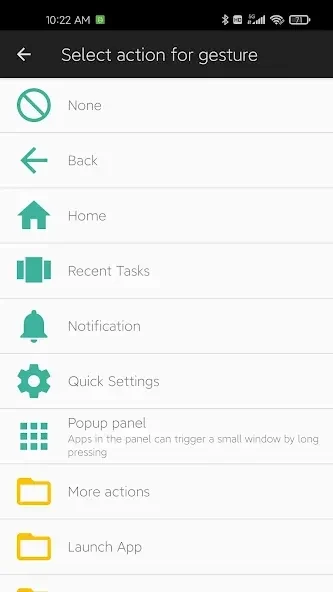
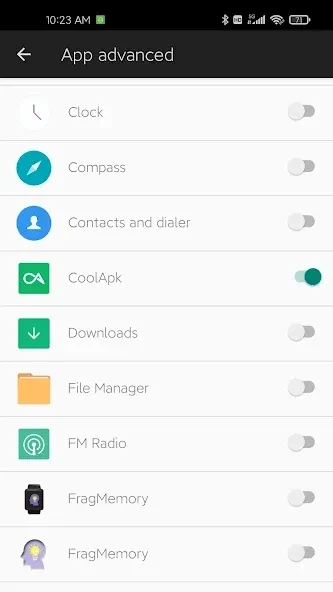
⭐ Assign built-in actions to gestures, including Wi-Fi or Bluetooth controls, screen lock, screenshots, simulated taps or swipes, and launching apps.
⭐ Set single presses, double presses, or long presses of the physical volume buttons to trigger actions, providing another way to reach shortcuts.
⭐ Use incoming notifications as automation triggers to launch apps or activate system settings, according to the available options.
Using the App
Everyday use starts with selecting a trigger and linking it to an action. For motion shortcuts, choose a rotation axis and configure the direction or number of rotations; then adjust sensitivity and choose whether to use vibration or text feedback. The default axis mappings offer a starting point for Android navigation, while custom combinations let you assign other operations. Volume-button presses and incoming notifications provide alternatives when a movement gesture is not the trigger you want. The source describes the interface as clean and the app as small in size, but does not provide details about offline operation or specific setup requirements.
Why It May Appeal
✅ Combining motion gestures with volume-button and notification triggers gives users several ways to access shortcuts without navigating through menus each time.
✅ The range of built-in operations, along with adjustable sensitivity and gesture feedback, supports personalizing shortcuts for different tasks and movement preferences.
✅ The app is described as small in size and suitable for some lower-end devices, which may be useful for people mindful of device resources.
Things to Consider
❎ The source notes that issues may occur on some Xiaomi models. Compatibility may therefore vary by device.
❎ The listed motion setup is based on phone rotation across three axes; the source does not establish support for every possible movement or trigger.