

Overview
Mi Calculator brings everyday arithmetic and specialized calculation tools together in one Android app. It can handle basic operations, scientific functions, currency exchange, unit conversion, loan and mortgage estimates, and several personal or business-focused calculations. The interface is described as simple and user-friendly, so users can move between different calculator types without relying on separate apps. With support for more than 60 currencies, date and age calculations, GST, BMI, and discounts, it suits tasks ranging from schoolwork and shopping to travel, budgeting, and general business use.
What You Can Do
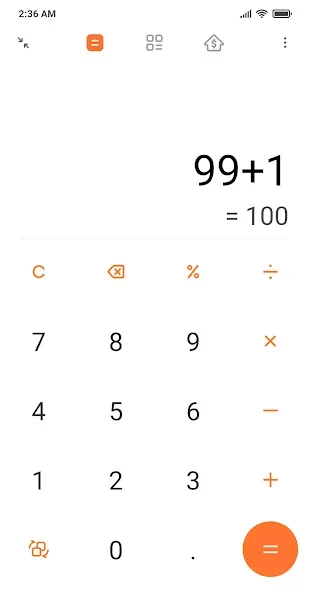
⭐ Use the basic calculator for addition, subtraction, multiplication, and division, while editing the calculation history and reviewing previous results.
⭐ Switch to the scientific calculator when you need trigonometric functions, logarithms, exponents, or other advanced operations beyond ordinary arithmetic.
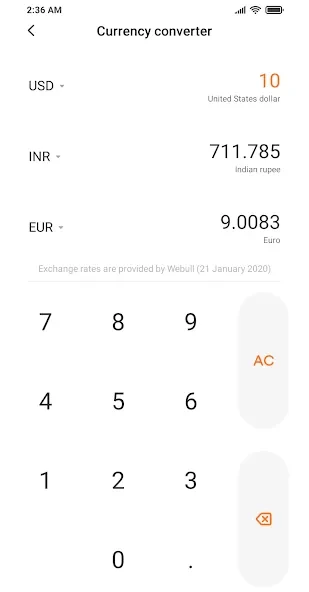
⭐ Convert currencies with the universal currency converter, which provides exchange rates described in the source as updated daily and supports more than 60 currencies.
⭐ Estimate loan or mortgage payments by entering details such as the loan amount, interest rate, and term. The tool can help show the next instalment, monthly payment, total interest, and related financial figures.
⭐ Convert measurements for length, area, volume, speed, time, mass, weight, and temperature, making it easier to work across different unit systems.
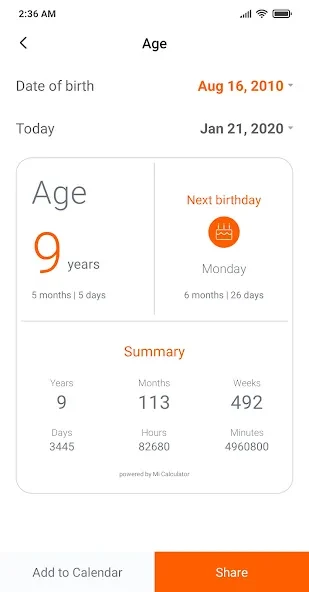
⭐ Use the age calculator to calculate an age from a birth date and view additional date-related details. The app also includes date-difference, GST, BMI, and discount calculators for more specific situations.
Using the App
Mi Calculator is organized around separate calculator functions, allowing the controls and available keys to match the type of task being performed. The source also describes adaptable key layouts for different measurement needs, so users can adjust the design around the units they work with. A typical workflow is to select a calculator, enter the relevant values, and review the result or calculation history. Currency conversion is intended for exchange-rate tasks, while the loan, GST, BMI, discount, age, and date tools use their own focused inputs rather than making users build those formulas manually.
Why It May Appeal
✅ It combines many calculation categories in one place, reducing the need to switch between a basic calculator, a conversion tool, and separate financial utilities.
✅ The mix of scientific functions and practical calculators makes it useful for students, people handling measurements, travelers working with currencies, and users reviewing loan or mortgage scenarios.
✅ Calculation history in the regular calculator can make it easier to check previous results instead of repeating a completed operation.
Things to Consider
❎ The source states that the app requires personal information and multiple permissions to operate. Review those requirements before using it.
❎ One user comment requested the return of a separate blank calculator when switching from normal to scientific mode, suggesting that this workflow may not preserve an independent calculation in the way that user preferred.