


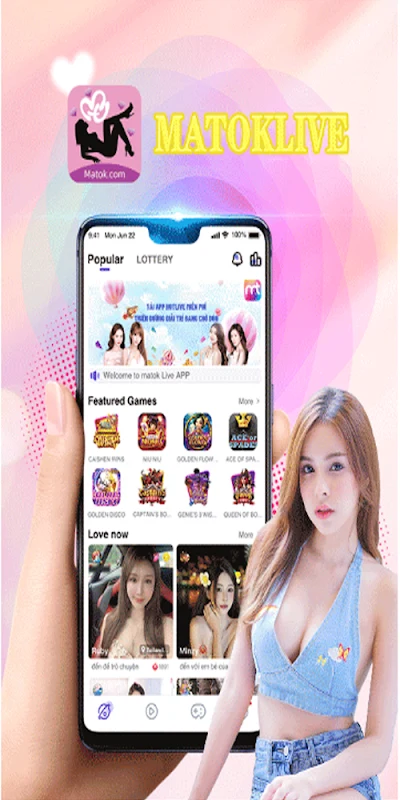

Watch and join live broadcasts
Matok APK brings live sessions together in rooms where hosts can sing, chat with viewers, play video games, or take part in challenges with other hosts. People watching can participate through text comments, emotional stickers, and virtual gifts, rather than only viewing the broadcast. These options let viewers respond within the live room and show appreciation to a host.
The app describes its live community as international, with sessions offering opportunities to encounter people from different countries and cultures. Users looking for a particular kind of connection can use search filters to find people who match their interests. Profiles are another part of the social setup: the source recommends completing one to help others connect with you.
Broadcasting and audience interaction
Users can also start their own live rooms and interact with an audience through video and chat. This makes the app relevant both to people who want to watch performances and to those who want to share a talent or host a session. The source suggests broadcasting regularly and taking part in daily live sessions as ways to stay engaged and build an audience; these are recommendations, not guaranteed results.
Virtual gifts connect audience participation with broadcaster rewards. Viewers can send gifts during a stream, while broadcasters can receive gifts and associated coins or rewards. The source presents these as a way to show appreciation and as a reward mechanism for people who stream. It does not establish a particular income amount or outcome.
Chat beyond the live room
Conversation can happen publicly in a broadcast’s comment area or privately through chat with a broadcaster. In the live room, viewers can write comments or send stickers and gifts as part of the ongoing session. Private chat provides a separate option for one-to-one conversation with a favorite broadcaster. Together, these functions cover both group interaction around a live show and direct messaging.
Games and live-room activities
Live rooms can include activities beyond performances and conversation. The description mentions hosts playing video games and challenging other hosts, as well as a selection of in-app games. Examples include 3D card games, disco, fish shooting, quizzes, shooting, and racing. Users can choose a room and take part in the entertainment available there, combining live content and games within the app’s social setting.
Finding a way to participate
The app’s described uses range from casual viewing and chatting to hosting a broadcast. Someone arriving to watch can join a live room and respond through comments, stickers, or gifts. Someone interested in broadcasting can start a room, interact with viewers through video and chat, and receive gifts. Search filters and profile details support the social side of these activities, while private chat offers a separate channel for conversations with broadcasters.