
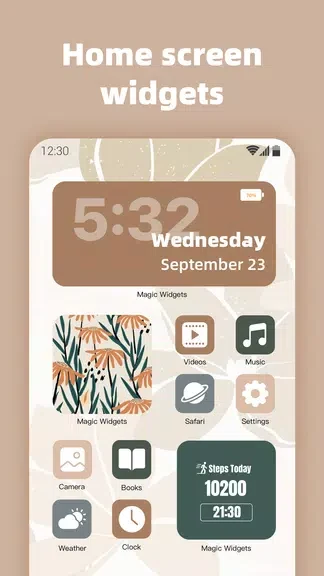
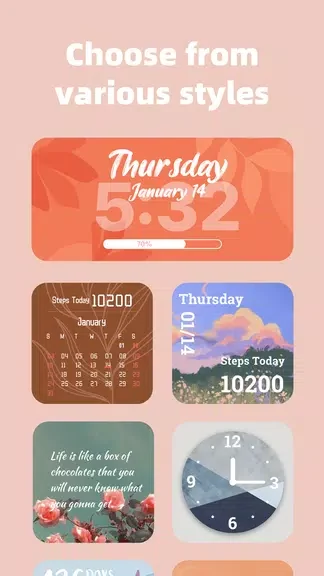
MagicWidgets - iOS Widgets helps you personalize an Android home screen with widgets that display the time, a calendar, pictures, or a countdown. Its main benefit is bringing visual choices and practical information together in one place: you can select different clock and calendar styles, display a photo from your device or the app’s picture selection, and track time until an important event. The available options let you shape the screen around what you want to see regularly, whether that is a favorite image, the date, or an approaching deadline.
How can I change the look of the clock and calendar?
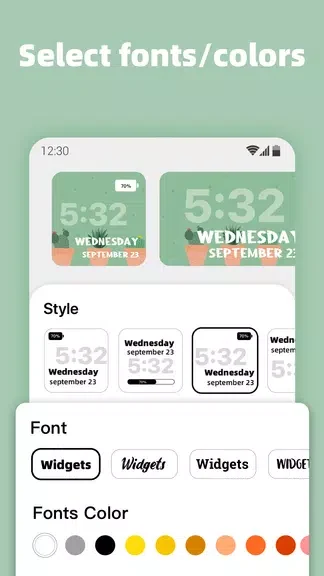
The app offers multiple clock and calendar styles, so you can choose a presentation that suits your home screen. Its customization guidance also suggests mixing colors, fonts, and designs. Trying different combinations can help you keep the time and date visible while matching the appearance you want.
Can I use my own pictures in a widget?
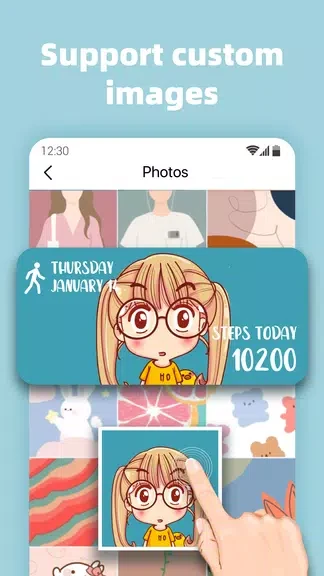
Yes. You can upload local images to display as home-screen widgets, which makes it possible to use a favorite picture already on your device. If you would rather choose an image from the app, its selection includes nature landscapes and abstract artwork. Changing the displayed image from time to time is another way to vary the screen’s appearance.
What can the countdown widgets track?
Countdown widgets are intended for important events and goals. They show the remaining time with precision down to the second, making them useful when you want an approaching date or deadline visible on your home screen.
Who might find these widgets useful?
MagicWidgets - iOS Widgets may suit someone who wants to combine home-screen decoration with everyday information. The photo and style options serve visual personalization, while the clock, calendar, and countdowns keep time-related details in view.