


Vocabulary practice on the lock screen
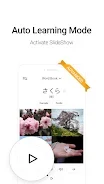
Lockscreen Japanese Dictionary is designed to fit Japanese vocabulary study into everyday phone use. Instead of opening a separate study session, you see Japanese words and images on the lock screen, which the app describes as turning each glance at the phone into a learning opportunity.
Picture-based word presentation
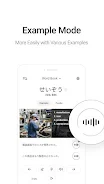
According to the app's description, it draws on more than 5 million images and uses AI to present each word with four related pictures. The developer states that combining images with words is meant to help users connect meaning visually. The app's own description claims this engages both sides of the brain, but that is a claim from the listing rather than an independently verified result.
Adjusting what you study
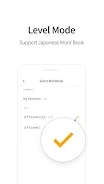
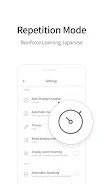
The app lets you choose difficulty levels and the word lists you want to study. You can also adjust how often certain words appear, so the material can be matched to your current goals and level.
Looking up words
Beyond the lock screen, the app includes a dictionary feature for searching words directly, similar to a traditional printed dictionary. This makes it useful for checking a term you encounter while studying Japanese.