

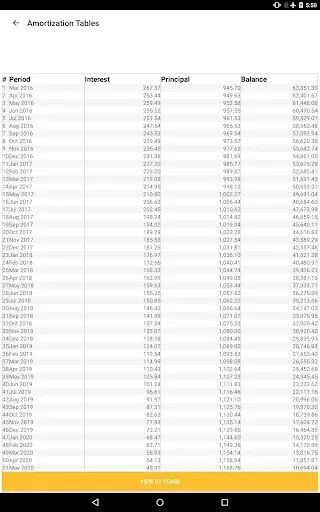
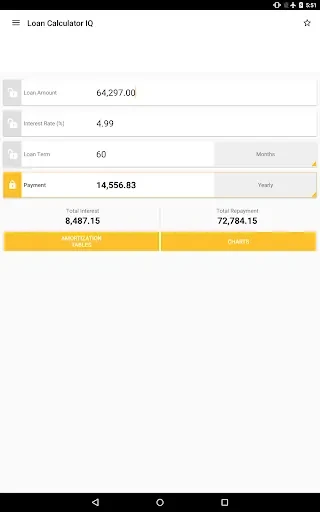
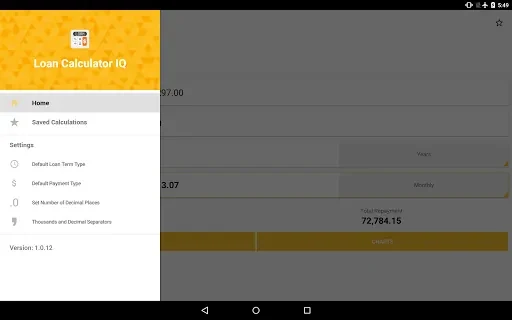
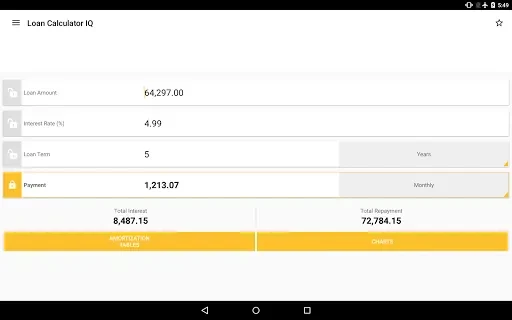
Loan Calculator IQ helps you calculate loan repayments by using the loan amount, repayment period, and interest rate you enter. Its main task is to work out the equated monthly installment (EMI), while also allowing you to calculate other loan details from the information available. You can use it to examine monthly or yearly payments, interest rates, loan amounts, and loan terms. Pie charts, interactive graphs, and amortization schedules add visual and schedule-based views of the repayment, making the app useful when you want to understand how a loan is structured.
How can you calculate an EMI?
Enter the loan amount, repayment period, and interest rate to calculate the equated monthly installment. The result is intended to show the regular payment based on those inputs, so accurate figures are important when reviewing the calculation.
Which loan details can you work out?
Loan Calculator IQ supports more than a standard EMI calculation. Depending on the information you provide, it can calculate monthly or yearly payments, the interest rate, the loan amount, or the loan term. This lets you adjust the calculation around the specific loan attribute you want to examine.
How does the app show repayment information?
A pie chart displays the total interest and loan amount as percentages of the total repayment. Interactive graphs provide another way to view the loan, while comprehensive amortization schedules show the payment schedule in more detail.
Who may find these tools useful?
The app may suit people comparing loan scenarios or reviewing how changes to an amount, term, or interest rate affect repayment calculations. Its visual analysis features can also help users who want to examine the balance between the loan amount and interest rather than view only a single payment figure.