

Lite Speed VPN is an Android application in the Tools category, developed by noDev. Its supplied listing describes it as a free VPN app for routing internet traffic through remote servers, and it lists version 1.7.0. The sections below summarize what the description claims and where the supplied information stops.
What does the app do for everyday browsing?
According to the description, Lite Speed VPN encrypts internet traffic so that third parties cannot easily follow online activity. The listing points to public Wi-Fi networks as a situation where this matters, because such networks can be more exposed to data interception. The description also says the app conceals the IP address, which it presents as a way to browse more anonymously. These statements come from the app's own description and have not been independently verified here.
Which speed and server options are described?
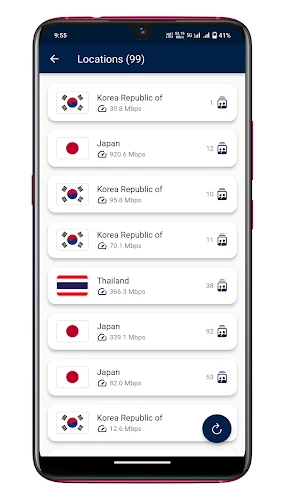
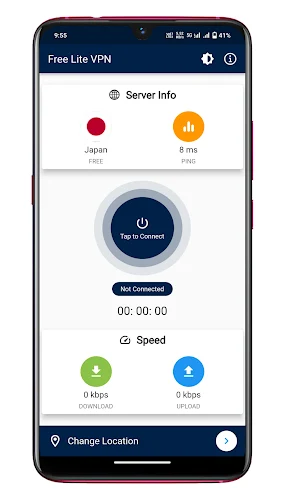
The listing says the app routes traffic through servers it describes as efficient and high-speed, and it presents these servers as a way to keep connections fast and uninterrupted. It also recommends choosing a server location close to your physical location to improve speed. A settings option called auto connect is mentioned as a way to connect automatically to the best available server. The tips section refers to this feature under the name Free Lite VPN, which differs from the app name, so the exact label in your installed version may need to be checked.
Can it unblock streaming and social sites?
The description names Netflix and Reddit as examples of sites users can access through the app and says there are no usage limits. It also mentions that users can switch countries. The supplied information does not list which countries or servers are available, and it does not promise access to any specific service, so these examples should be read as the developer's claims rather than guaranteed results.
What usage controls and interface options are included?
The listing says users can control their usage and receive daily, weekly and monthly usage reports. It also mentions a dark mode option for people who prefer a darker interface. The interface is described as simple and intuitive, with the stated workflow being to install the app, connect to a server and begin browsing.
Is registration needed before use?
The description states that the app is free and does not require registration. Its listing presents the app as ready to use immediately. The supplied material does not describe any optional paid features, so it is not possible to confirm from this data whether in-app purchases exist.
What information is missing from the listing?
The supplied data does not include a reliable minimum Android version, device compatibility details, permission explanations or a privacy policy summary. The minimum OS field contains unrelated text, so it cannot be used. Because the description mixes two app names and uses promotional wording, readers should compare the listing with the app store page and the app's own documentation before relying on any specific claim.