


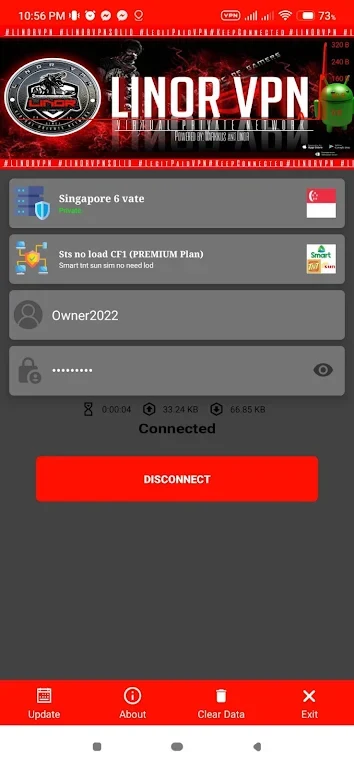
LINOR VPN TUNNEL helps Android phone and tablet users route their internet connection through an HTTP tunnel, with the stated aim of improving browsing and downloading performance. Its HTTP CONNECT method is presented as a high-speed option that can also work on slower mobile networks, which may be useful when connectivity is limited or inconsistent. The app also provides tunnel servers in multiple countries, allowing users to select different virtual locations. The listing describes encryption for online activity and sensitive data, while noting that external-storage access is among the permissions required for its operation.
HTTP tunneling on difficult connections
The app is built around an HTTP CONNECT tunnel intended to provide a fast connection for web use and downloads. Its description specifically highlights operation on low-speed mobile networks, including situations where a network is crowded or coverage is limited. This makes the tunnel’s stated purpose broader than simply offering another connection route: it is also presented as a way to maintain a smoother browsing experience when the underlying mobile connection is not especially quick.
Server locations and virtual access
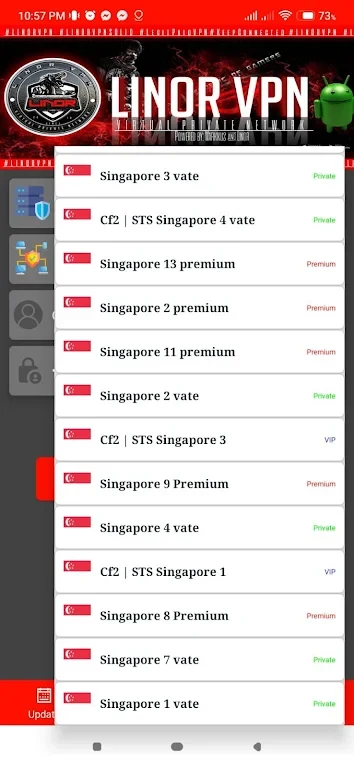
LINOR VPN TUNNEL includes tunnel servers in multiple countries, giving users a choice of virtual locations. The source says that changing location can help with websites and content restricted by region, including geo-blocked streaming content. The listing also refers to a 1 Gbps network. These location options work alongside the tunnel rather than being a separate tool, so the selected server determines the virtual location through which the connection is routed.
Choosing a server
For everyday use, the supplied guidance recommends choosing a server near the user’s physical location to reduce latency and improve performance. Users can also try different countries when a particular virtual location is needed. This provides two practical approaches: selecting proximity when connection responsiveness matters, or selecting a specific country when access to region-limited websites is the priority.
Automatic connection and permissions
An automatic connection option is described as a way to connect to the fastest available server without choosing one manually each time. This may simplify repeated use, while manual server selection remains useful when location is important. The source notes that the app requires necessary permissions, including access to external storage, to provide its functionality. It is described as suitable for both Android phones and tablets, although the supplied Android-language field does not specify a minimum operating-system version.