
Leo PlayCard brings game resource changes, interruption controls, and app cloning into one Android utility without requiring root access. It is described as helping players obtain extra coins, lives, gems, and premium game content, alongside tools for managing graphics and background activity. These functions address different parts of a gaming session, from resource collection to notification interruptions. However, the advertised purchase and unlock capabilities have important boundaries: online games and Play Store purchases are excluded, and using this kind of tool may result in an account ban.
Resources, premium content, and lasting changes
The resource tools are described as adding currencies such as gold, gems, elixir, coins, and coupons, depending on the game. Extra resources are intended to reduce the time spent collecting items for upgrades and higher levels. The premium-unlock functions also target skins, locations, resources, and other paid in-game features without spending real money.
The description claims that changes remain after Leo PlayCard is uninstalled. That is a stated capability rather than a guarantee of preserved progress in every game. Although the source advertises support for more than 1,000 games, its broad compatibility claims should not be read as universal support, particularly given the explicit exclusion of online games.
Enabling the purchase-related functions
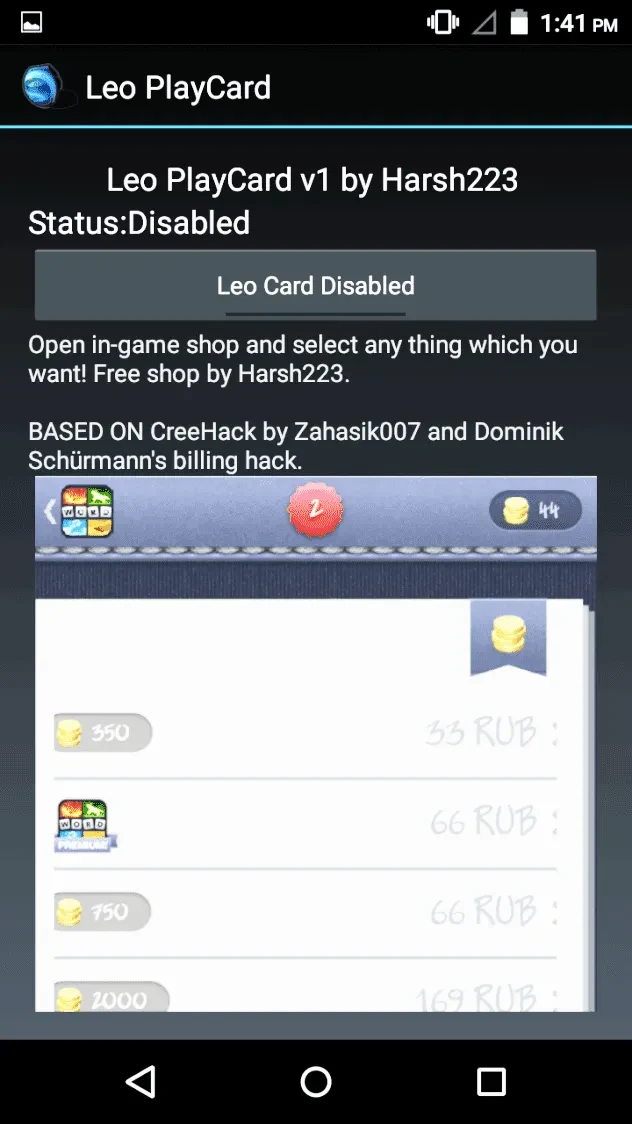
The supplied instructions say the utility starts disabled. Users first open it and press the button beneath the status indicator until the message reads “LeoCard enabled.” They then open the target application and select the payment button in the window offering the utility’s payment options. The description says processing happens automatically within a few seconds.
This workflow concerns the advertised in-app purchase functions, not purchases through the Play Store. The source does not establish that every paid app or purchase system will work, despite making broad claims about bypassing payment procedures.
Fewer interruptions and adjustable graphics
Do Not Disturb mode is described as silencing calls, messages, and other notifications during play. A separate ad-removal function targets advertisements inside games, while the utility itself is also described as ad-free. These controls are intended to limit interruptions rather than change game progression.
The Game Booster and GFX Tool address performance in different ways. The booster is described as closing background activity, particularly for lower-specification phones. The graphics controls offer resolution changes and higher frame-rate settings, with reduced lag as their stated aim. These are advertised tools, not evidence of measured performance gains across devices or games.
Cloning, game management, and support
App cloning is intended to let users create another instance of an application and use more than one account at the same time. The interface is described as providing a central place to manage games, bringing account-related tools and gaming controls together. The source also lists round-the-clock customer support, though it provides no details about contact methods or response times.
Cost, availability, and account risks
Leo PlayCard is described as free to download, install, and use, including its listed features. Root access is not required. The supplied information says it is unavailable for iOS and is not distributed through the Google Play Store; it does not provide a usable minimum Android version.
The clearest limitation is the potential consequence for game accounts. The source explicitly warns that detection of this type of tool may lead to a ban. Its claims about free premium content, persistent changes, or broad game support do not remove that risk.