

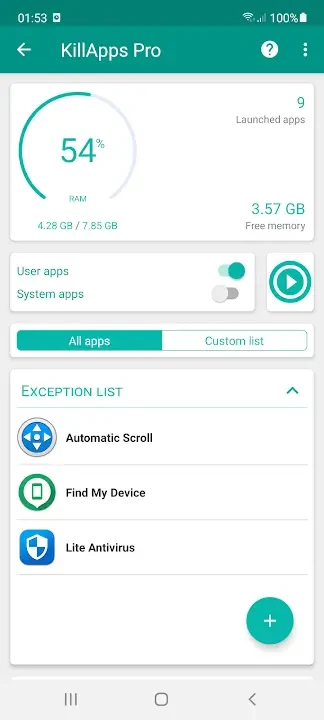
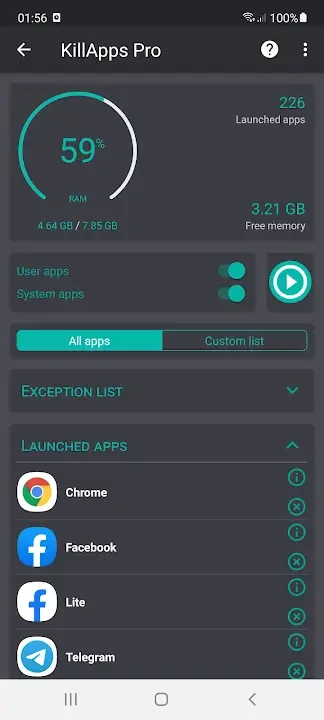
KillApps is a utility for managing applications and other tasks that remain active in the background. It can close all open apps with one action or let you select individual items, helping release memory and reduce background activity after gaming, multitasking, or extended daily use. The app also brings together RAM information, app details, clipboard monitoring, power-saving features, and a CPU cooler in one place. Its accessibility automation can handle repeated closing steps through Android system screens, which may be useful for people who find those manual actions difficult.
Closing apps and background tasks
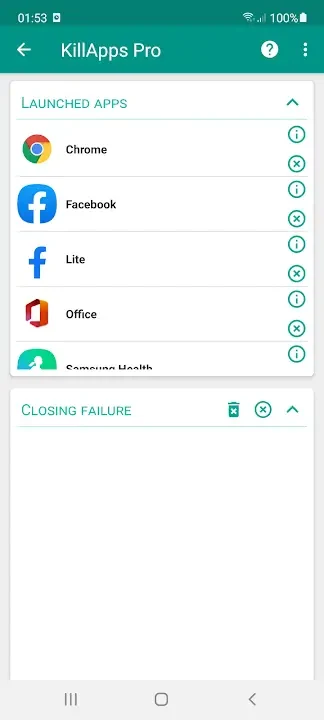
The main workflow centers on ending background activity. After opening the running-app list, you can use Close All to have KillApps close tasks one by one, or review the list and choose only particular apps. This distinction is useful when a single application is misbehaving but other tools need to remain active. The app can also act on certain services and tasks beyond ordinary open applications, although access to some system components depends on the device.
By removing unnecessary background processes, KillApps is designed to free RAM and reduce CPU activity. That can help the device concentrate on the apps currently in use, potentially making scrolling, switching, and launching feel less affected by background load. The source also describes reduced background activity as a way to limit apps waking the device and using power. The practical result varies according to the device, the number of active tasks, and the apps involved.
Monitoring memory and app activity
KillApps includes RAM monitoring so you can see the effect of ending tasks rather than closing items without feedback. Its app information view presents basic details about installed applications, including memory or RAM used when they start. The source also refers to information such as the space an app occupies and its installation date, giving you more context when deciding which applications to keep active or remove.
Clipboard monitoring adds another view of activity connected with apps and services. It is intended to show which background items are using clipboard-related space or activity, helping you identify items that may not be needed. Together, the running list, RAM information, and clipboard view support a more selective approach than simply terminating every visible task.
Automation and accessibility support
To close apps automatically, KillApps uses Android’s Accessibility Service to perform the required taps through system screens. This lets the app process applications one by one instead of requiring you to open settings and repeat the same action manually. You must grant the relevant accessibility access before using this automated closing workflow. The approach can also assist users with physical disabilities who have difficulty carrying out repeated touch actions.
The app provides recommendations about what can be turned off, which is intended to reduce the chance of interfering with important system tasks. It supports user-installed apps and, where the device permits it, some system components. Because system access and available controls can differ between Android devices, not every component will necessarily be handled in the same way.
Additional utility features
Alongside task management, KillApps offers a power-saving mode and a CPU cooler as part of its collection of device tools. These functions sit alongside the memory-cleaning controls rather than replacing them: the task list identifies active items, the selection controls determine what to close, and the monitoring views show information about app use. The app is also described as remaining light on resources while it works.
The source mentions tools for tracking installed apps and taking actions such as uninstalling them. It also says the app can help retrieve information or applications that were accidentally deleted, although the supplied material does not explain the recovery process or its limits. KillApps is described as collecting no personal information and requiring access related to its memory operations; its accessibility-based automation still requires the corresponding Android permission when that workflow is used.
What to expect in daily use
A typical session might begin by checking the running list and RAM information, closing one troublesome app or using Close All after a demanding activity, then reviewing which tasks remain. Selective closing is preferable when you want to keep important tools available, while the broader cleanup is intended for situations with many unnecessary background processes. The app can therefore serve both quick one-app interventions and more comprehensive cleanup sessions, without requiring each item to be closed manually through system settings.