

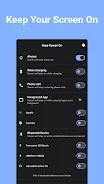
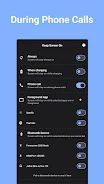
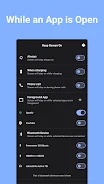
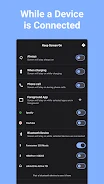
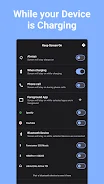
Keep Screen On - Phone Call is an Android utility for preventing the phone screen from locking during selected activities and connection states. It provides controls for keeping the display awake while using the keyboard during calls, reading, gaming, or working with selected apps.
Choose when the screen stays on
The app supports several screen-awake conditions. You can select an always-on mode or keep the display active while the phone is charging. Additional options are available for phone calls, apps running in the foreground, and specific connected Bluetooth devices. The phone-call, foreground-app, and selected-Bluetooth-device options are identified as PRO features in the supplied description.
Select apps for uninterrupted use
Keep Screen On - Phone Call provides a list of installed apps so you can choose which apps should keep the screen awake. This can support activities where repeated screen locking interrupts use, such as reading online content or playing a game. The app-specific control focuses the setting on selected applications rather than describing a single condition for every use.
Support for calls and Bluetooth connections
During a phone call, the app can keep the screen on so the phone keyboard remains available when needed. It also describes a Bluetooth-based option for keeping the screen awake when selected devices, such as car Bluetooth speakers, are connected. These controls are intended for situations where the display turning off would interrupt the current activity.