


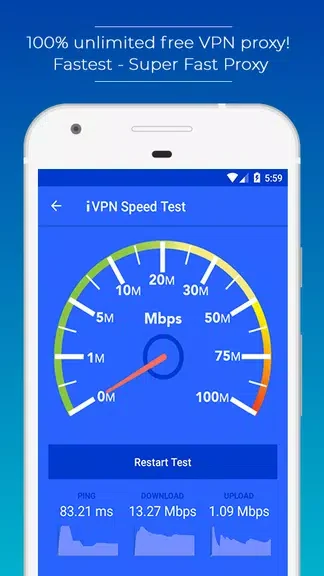

iVPNz - 100% Free Ultimate Premium VPN is a free proxy tool that lets users connect to a VPN server with a single tap to encrypt their Wi-Fi traffic and browse the internet without revealing personal details to third parties. The service supplies unlimited bandwidth and removes the need for any login credentials or payment information. A built-in speedometer measures the current Wi-Fi link so users can check performance before choosing a server. Servers are grouped by country, allowing access to region-restricted websites and social platforms or passage through network restrictions such as school firewalls. Because the app requires no registration, credit-card details, or subscriptions, it keeps the entire process free and immediate for anyone seeking basic online privacy on Android.
How does the VPN protect user activity?
The app routes traffic through a secured proxy that encrypts the Wi-Fi connection. This encryption step replaces an ordinary unencrypted proxy and prevents outside observers from reading transmitted data or tracking visited sites. Once the connection is active, the user’s IP address is masked by the chosen VPN server, supporting anonymous browsing without additional configuration.
What server choices are offered?
Users can select a VPN endpoint from a list organized by country. Switching between locations makes it possible to reach content that is restricted to specific regions and to route around local network blocks. The selection is presented inside the app so a new server can be chosen at any time without leaving the main screen.
Do users need to create an account?
No username, password, or registration is required. The app launches directly to a connect button, and the same absence of credentials applies to continued use. There are also no subscription trials or credit-card prompts, keeping the service open to anyone who downloads it.
How can connection speed be checked?
A speedometer tool is included to test the current Wi-Fi link before or after a VPN is activated. The reading helps determine whether the present server delivers adequate performance or whether another country location should be tried to maintain acceptable speeds while the VPN remains active.