

Overview
iClock OS 14 is an Android clock app for keeping daily schedules and times in other parts of the world close at hand. Alongside its alarm clock, it offers a world clock, calendar, timers, and a stopwatch. That combination can help when you need to wake up, check the time before contacting someone abroad, or measure how long a task takes. The app also includes a desktop-style clock display and options to change the time and date format, font, and color. Its iPhone-inspired appearance may appeal to people who want a different look for their clock on Android.
What You Can Do
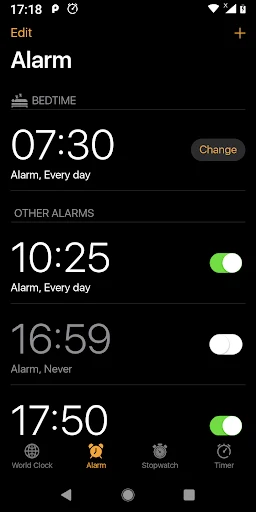
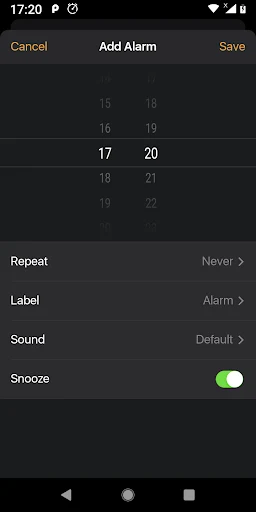
⭐ Set alarms for a chosen date and time. The supplied description also mentions saving alarms for reuse and setting an alarm to repeat automatically.
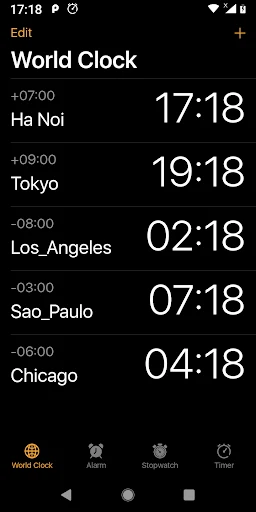
⭐ Check a world clock for times in other countries and regions. This is useful when planning a call or comparing your local time with another location.
⭐ Use the calendar alongside the clock to check dates while arranging your schedule. Time and date display formats can be customized.
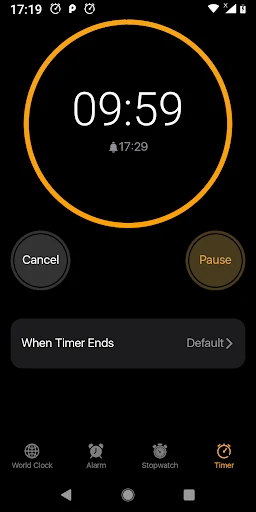
⭐ Run a countdown timer when a task has a set duration, or use the stopwatch to measure elapsed time.
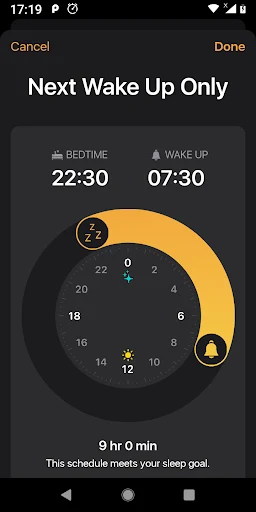
⭐ Set a bedtime reminder as well as a wake-up alarm. The description says you can select a song or ringtone from your phone for an alarm.
⭐ Change the clock’s font and color to suit your preferred display style. The app is also described as offering a desktop-style view of the time.
Using the App
For everyday use, you can keep an alarm ready for a regular event, consult the world clock when time zones matter, and switch to a timer or stopwatch for shorter activities. The formatting options let you choose how the time and date are shown rather than relying on one fixed presentation. These tools are presented together, so the app can serve as both a clock display and a place to manage basic time-related tasks.
Why It May Appeal
✅ Having alarms, world time, a calendar, and timing tools in one app reduces the need to switch between separate clock utilities.
✅ Customizable display settings give you some control over the clock’s appearance.
Things to Consider
❎ The supplied description mixes Android app details with references to Mac menu bars, desktop windows, and iOS. It does not establish that those platform-specific controls or integrations are available in this Android app.