
Hub VPN - Private Proxy VPN is a VPN app described as a way to connect through servers in different countries while browsing or trying to access apps, websites, and platforms. The description presents the connection as a means of reaching content that may be blocked or restricted by location. It also lists connection encryption and IP address masking as privacy-related functions.
Connecting through servers in different countries
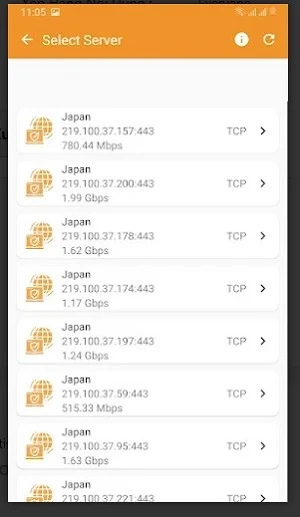
The app’s central purpose is to provide a VPN connection for internet use. Its description says that servers in various countries can be used to access global content and bypass geographic restrictions. It also refers to blocked apps, websites, and platforms, though it does not identify particular services or locations. Users are advised to choose a server near their location to reduce latency; this is presented as a tip, not as a guarantee of a particular connection speed.
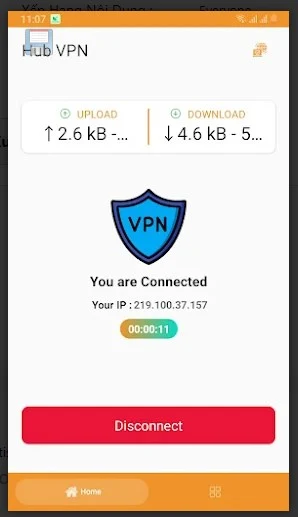
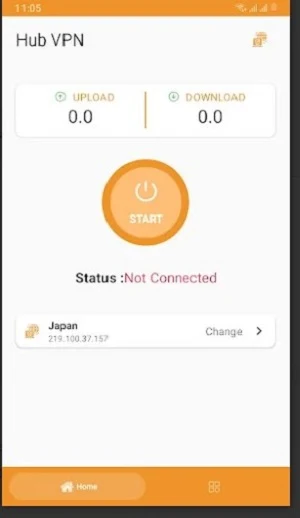
The description refers to connecting with a button and characterizes the interface as easy to navigate. It does not give further details about server selection controls or explain how availability varies by destination. The practical result described is a connection intended for browsing and access to online content through a VPN server.
Connection and privacy controls
Automatic connection on startup is listed as an option in the app settings. When enabled, the description says the app connects to a VPN server as the app launches. This setting is relevant for users who want the VPN connection to begin at startup; no other scheduling or reconnection controls are specified.
Hub VPN - Private Proxy VPN also describes encrypting internet traffic and masking the user’s IP address as privacy features. These are the privacy functions the source associates with the VPN connection. The description does not provide technical details about encryption, data handling, or the limits of these protections, so it does not establish a particular level of security or anonymity.
Other usage details
The source mentions browsing and downloading content as uses for the connection, alongside access to apps and websites. It recommends clearing browser cache and cookies regularly to avoid possible conflicts or slowdowns, but this is general browser maintenance advice rather than a VPN control. The description does not specify which server locations are available or provide technical requirements for using the app.