

Overview
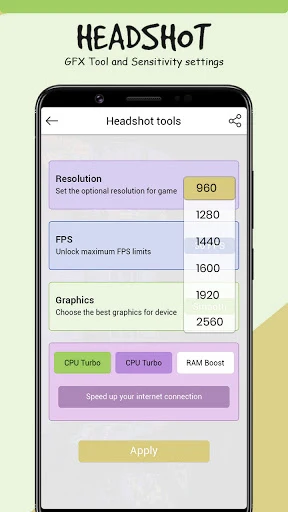
Headshot GFX Tool is a game optimization tool that focuses on graphics settings to help users achieve faster frame rates and a less cluttered screen during play. The app targets players who want practical tweaks without navigating complex menus, offering a clean layout that supports quick changes before matches. It works by letting users select options matched to their phone's capabilities, then applies those changes to improve performance on weaker devices while providing some aiming assistance through visual adjustments. Effects depend heavily on the specific hardware, so results differ across phones. The tool stays limited to graphics and related performance options rather than broader gameplay modifications.
What You Can Do
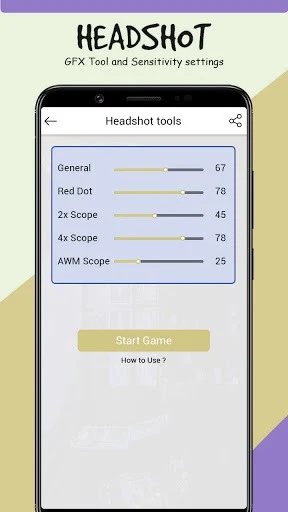
⭐ Users can customize graphics quality and sensitivity settings to match their device and preferences for smoother or clearer gameplay.
⭐ The app supplies preset options that allow quick selection based on phone performance and supported visual features in certain games.
⭐ It enables precise location assistance through graphics tweaks that can make targets stand out more clearly on screen.
⭐ Players can experiment with control and visual adjustments to test different configurations before entering a match.
⭐ Performance improvements are possible on low-end devices by lowering or balancing graphics loads to reduce lag.
Using the App
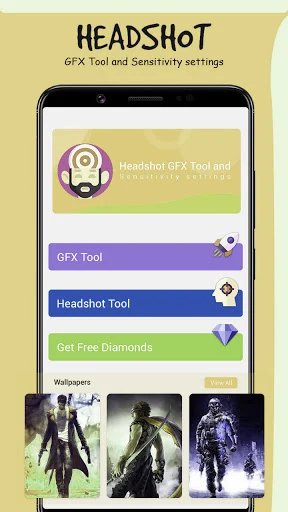
Users start by closing any running game instance, then open the app to browse available options. They choose settings according to their phone's capabilities and the graphics support of the target title. After selecting the desired values, they tap to apply the changes and launch the game directly from the tool. The workflow supports repeated testing of different presets, with the simple layout making it easy to return and refine choices without extra steps or external guides.
Why It May Appeal
✅ The beginner-friendly design removes the need to search for setup instructions, letting players make adjustments quickly before play sessions.
✅ It offers a direct route to steadier frame rates and reduced visual clutter for users whose default game settings do not suit their hardware.
✅ Quick preset application supports experimentation with sensitivity and graphics without requiring advanced technical knowledge.
Things to Consider
❎ Performance gains vary by device hardware, so some phones may see limited or no improvement after adjustments.
❎ Over-tuning settings can introduce instability, requiring users to test changes carefully to avoid crashes or reduced playability.