

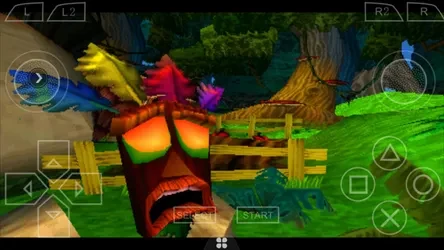
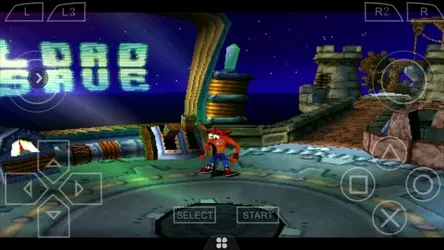
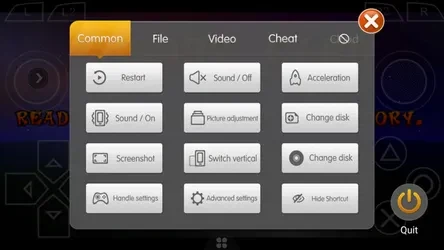
Happy Chick Pro Emulator brings emulation for classic game systems together with a library for finding and downloading games. It addresses the setup involved in using separate emulators: the app describes an optimized emulator experience where games do not need individual emulator installation and configuration. Its listed systems include arcade platforms, PlayStation, PSP, NES, SNES, Game Boy Advance, and others. Users can also connect Android gamepads, with custom button settings available for non-standard controllers.
Which consoles and games does the app cover?
The app lists support for 18 classic console types, including arcade systems such as FBA and MAME, PlayStation, PSP, FC (NES), SFC (SNES), GBA, GBC, MD, NDS, Dreamcast, NGP, WS/WSC, PCE, and ONS. The source describes a library of tens of thousands of classic games and names titles such as Pokémon, Super Mario Bros., King of Fighters ’97, and Monster Hunter. The available games depend on the platform they support.
Games can be searched for in the library, and the source says users can check a game's supported platform before downloading it. This is useful when choosing a version for a particular emulator system. The listing describes direct game downloads and also says the app supports compressed files, which it can decompress.
How do downloads and game setup work?
Happy Chick supports downloads from Baidu Cloud and Weiyun Cloud, and its description lists resume downloads. It also says compressed-file support can help save data usage. The app presents its emulator as optimized and intended to avoid installing, testing, and configuring a separate emulator for each game, so the stated setup process is more centralized than managing individual emulator apps.
The supplied installation instructions describe downloading the APK, opening it from the device's Downloads folder, and completing Android's install prompt. They also say that installing this APK may require enabling the “Unknown sources” option in Android security settings. That is an installation detail, not a game feature.
Can I use a controller or play with other people?
The app says it works with Android gamepads without complicated mapping, and it offers custom button settings for non-standard Android controllers. The source also mentions on-screen controls and Bluetooth gamepad connections. These options give users a choice between touch controls and a connected controller.
For multiplayer, the listing describes public online play for arcade and PSP games, along with leaderboards. It also lists LAN multiplayer and says players can connect without using mobile data, including when Wi-Fi is unavailable. Multiplayer support is described for particular game types rather than every title in the library.
What happens to saved games and settings?
Happy Chick lists game saves and cloud backup for progress, as well as sharing and syncing progress across multiple devices. It also says configurations can be saved to the cloud. These features are intended for keeping game progress and settings available beyond a single play session; the source does not specify particular account or storage requirements.
The app may suit Android users looking to browse classic games across several supported systems, avoid setting up a separate emulator for each game, or use a controller and multiplayer features. Its description covers many systems and tools, but the specific platform and multiplayer support can vary by game.