
Groovepad helps users create beats, songs, and mixtapes by tapping sounds on an Android device. Its library covers styles such as hip-hop, EDM, house, reverb bass, drum bass, trap, and electronic music, giving creators several starting points for different musical ideas. Preset keyboards grouped by musical style make the first steps more approachable, while real-time looping lets users combine sounds as they play. The app may suit beginners exploring music production as well as users who want a straightforward way to experiment with beats and share finished creations.
Start with genre-based sounds
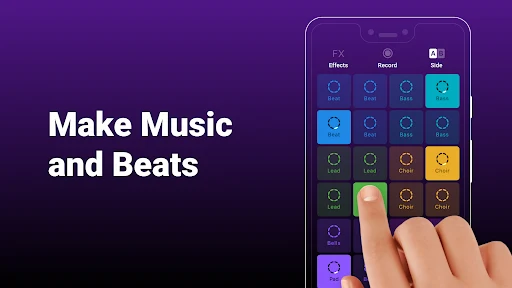
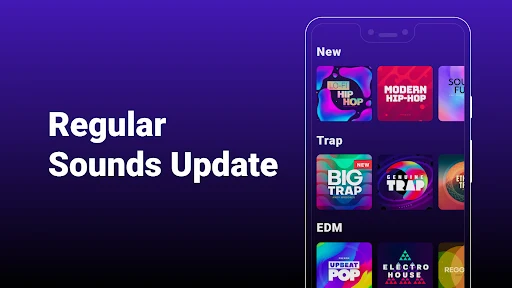
The app provides a broad collection of distinctive soundtracks that can be used as the foundation for a composition. Rather than beginning with an empty project, users can choose sounds that match a preferred style and tap the on-screen buttons to build a beat. The preset keyboards are organized by musical category, helping users select a suitable set of sounds without having to configure every element themselves.
Build arrangements with Live Loops
Groovepad’s real-time loop function supports recording and playback while sounds are being created. Users can add their own sounds to a musical idea, then combine loops so that different parts play together. This approach connects individual taps with a more complete arrangement and allows a track to develop gradually through repeated sections.
Shape the sound with effects
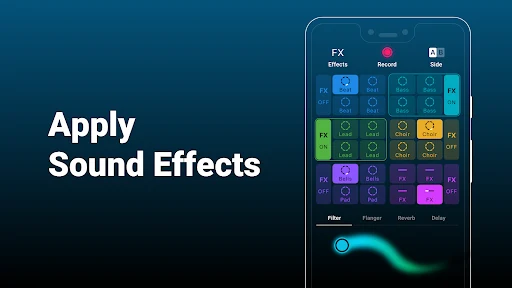
After choosing or creating sounds, users can apply effects including filters, flangers, reverb, and delays. These tools can change the character of the music and add variation to a beat or mix. Used alongside the loop function, they provide a way to blend sections and give a creation a more individual sound.
A visual interface for quick navigation
The interface uses color-coordinated buttons so sounds and effects can be identified at a glance. Although the number of buttons and keyboards may take some practice to understand, the source material presents the app as easy to use once users become familiar with its controls. Creations can be shared with friends and family, allowing users to present their mixes or demonstrate their DJ-style experiments.
Installation and storage notes
The app requires approximately 51.98 MB, or 54,500,895 bytes, for its base files. The amount may vary slightly depending on the device and any additional data downloaded during use. Installation problems may be related to limited storage, an unstable network connection, or incompatibility with the Android device, so these factors should be checked before installation.