

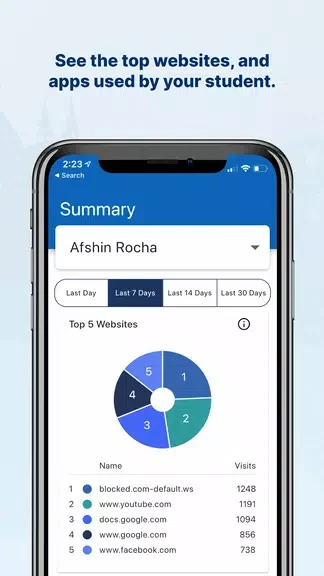
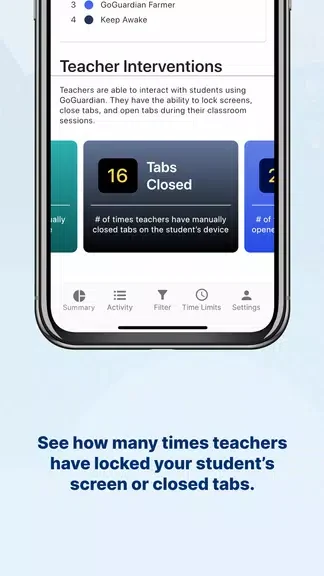
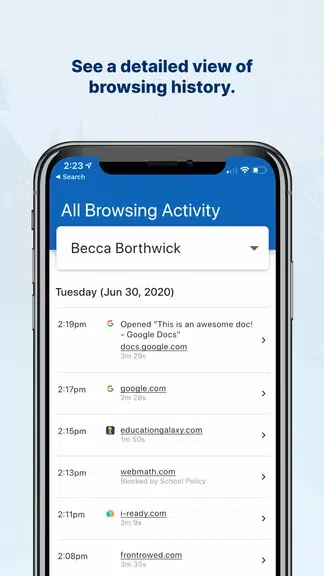
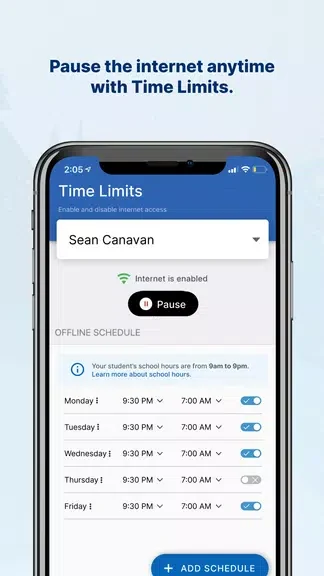
GoGuardian Parent App helps parents understand how their child uses a school-issued device by showing activity such as websites, apps, extensions, and browsing history. That visibility can support more informed conversations about digital behavior, while the app’s internet controls let parents block specific websites or pause access during out-of-school hours. It also shows how often teachers have intervened during virtual learning, including actions such as locking the screen or closing tabs. Together, these tools connect activity information with practical controls for managing device use at home.
Review online activity
The app provides insight into the websites, apps, and extensions a child is using on a school-issued device. Its detailed browsing history offers a closer view of online behavior, helping parents identify subjects they may want to discuss with their child.
Manage access outside school hours
Internet controls allow parents to block particular websites and pause internet access on the child’s school-issued device. These controls are intended for out-of-school hours and give parents a way to manage access alongside the activity information shown in the app.
See teacher interventions
GoGuardian Parent App reports how often teachers have taken action during virtual learning. Parents can see interventions such as screen locks or closed tabs, adding context to the child’s online activity and classroom participation.
Use current activity information
The source describes the app as providing real-time data, so parents can stay informed about reported online activity as it changes. This combination of current information, browsing history, and device controls can help structure practical conversations about responsible digital behavior.