

Overview
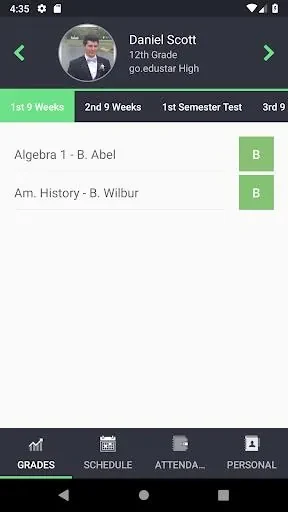
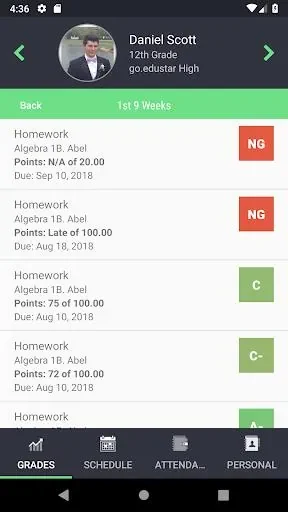
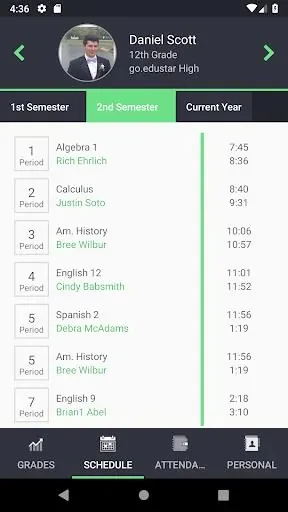
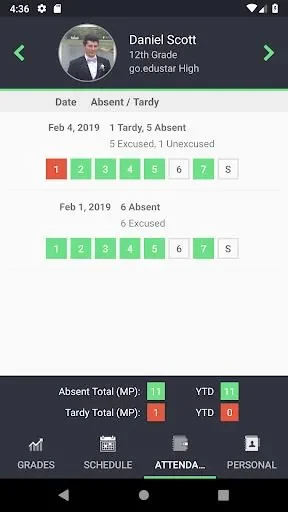
go.edustar gives parents and guardians a way to keep track of their students’ school information from an Android app. After signing in with an existing Parents On Line username and password, users can view grades, assignments, due dates, schedules, attendance, and demographic information. The app is described as providing these details in real time, so families can check progress and upcoming work without waiting for a report card or contacting the school just to request an update. One login can provide access to information for students attending different schools, making it useful for families managing more than one student or school connection.
What You Can Do
⭐ Review student grades and assignment details, including due dates, to keep academic progress and upcoming work in view.
⭐ Check schedules and attendance records alongside other student information in the app.
⭐ Receive notifications about new grades, assignment submissions, upcoming due dates, and other important school information.
⭐ Contact teachers and school staff through the app to discuss a student’s progress or raise concerns.
⭐ Use the same Parents On Line username and password to access information for students at the schools they attend.
Using the App
Start by logging in with your existing Parents On Line credentials. From there, check the student information you need, such as grades, assignments, schedule, or attendance. The source recommends checking regularly and using notifications to keep up with new grades, deadlines, and school announcements. When a question or concern comes up, the app’s communication option can be used to connect with teachers or staff.
Why It May Appeal
✅ Student details and school communication are gathered in one app, rather than requiring families to rely only on report cards or calls to the school for updates.
✅ A shared login for students attending different schools can reduce the need to manage separate accounts.
Developer
The listed developer is N. Harris Computer Solutions.