



Game Turbo Xiaomi brings together gaming controls intended to help keep play sessions focused and make device behavior easier to monitor. The app describes tools for prioritizing an active game over background activity, managing notifications, and displaying performance information while a game is running. These functions may be useful to players who want to check how their phone is handling a demanding title or avoid pop-ups during a match. The available description presents the app as intended for Xiaomi phones, so device compatibility is an important consideration before relying on its controls.
Resource management for active games
The app is described as dynamically managing memory and limiting non-essential background activity so the active game can receive priority. Its example use case is a demanding battle royale, where background services may be restricted and cache cleared to support smoother play and a lower-latency connection. These are stated aims rather than a guarantee of a particular frame rate or connection quality. The broader purpose is to reduce performance disruptions such as sudden frame drops and to make gameplay feel more responsive.
Controls for notifications and interruptions
Game Turbo Xiaomi includes do-not-disturb options for limiting pop-ups and silencing alerts while playing. The description says users can choose which notifications are allowed or display alerts as less intrusive overlays, rather than blocking everything or disconnecting entirely. This can help keep game controls and important on-screen details visible during a session. Notification blocking also has a trade-off: an alert that has not been allowed through may be missed while the gaming controls are active.
On-screen performance information
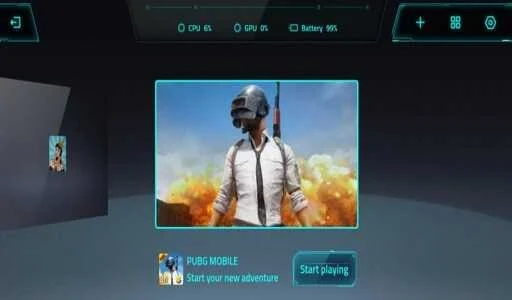
An in-game overlay is described as showing statistics such as frames per second, CPU temperature, and GPU usage. Having these figures on screen gives players a way to observe device behavior during a session instead of relying only on how the game feels. The source also describes a side panel for adjusting options such as cooling mode or resolution when the phone becomes hot. These tools provide information and settings to consider, but the description does not establish that they will prevent overheating or produce the same results across games and devices.
Visual adjustments and device scope
Separate display options are described for changing color saturation and contrast, including vivid and bright modes. The stated aim is to make colors more pronounced or dark areas clearer, with adjustments applied at the system level rather than requiring individual game settings. Game Turbo Xiaomi is presented as limited to Xiaomi devices; the supplied FAQ also names Redmi and POCO phones as intended devices and notes that functions may not work fully on other brands. The source does not specify a minimum Android version, so compatibility details should not be inferred from it.