
Overview
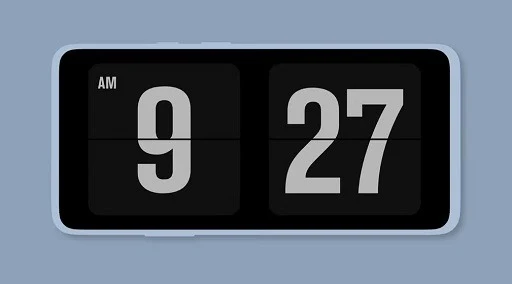
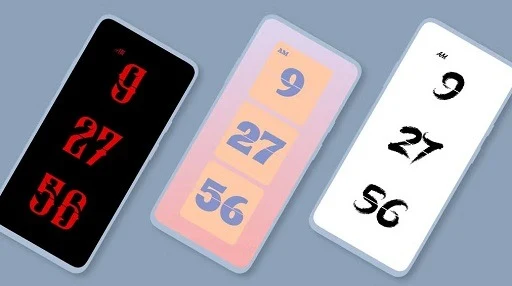
Fliqlo is a clock app for Android that gives your device a clear, flip-style display for checking the time at a glance. Its large numerals and uncluttered design can work well on a desk or bedside table, while a home-screen widget offers another way to keep the time visible. The app also includes a seconds display that can support simple study or focus sessions, plus customizable clock styles and themes. Rather than serving as a feature-heavy productivity suite, Fliqlo centers on presenting the time in a practical, visually distinctive format.
What You Can Do
⭐ Use the large digital numerals as a desk clock. Their clear appearance is intended to make the time easier to read from a distance while you work.
⭐ Set up a bedside-style clock with a dark background and minimal layout. This provides a simple way to check the time in a bedroom or other quiet space.
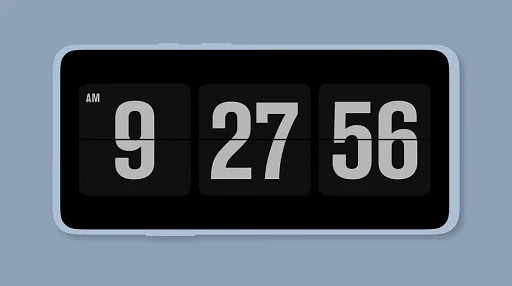
⭐ Enable the seconds display for a more detailed view of passing time. The source describes this as useful for simple Pomodoro-style study blocks, rather than as a full-featured task manager.
⭐ Add a small clock widget to the home screen for convenient time checks without opening the main app.
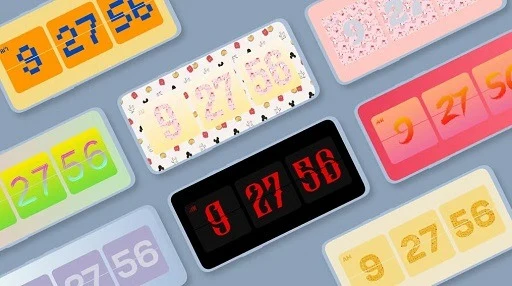
⭐ Change the clock style or theme to adjust its appearance. Fliqlo is also described as usable as a screensaver or floating clock.
Using the App
The app is presented as having a simple, clear interface, with the clock display as its focus. Choose a style or theme to suit the setting, then use the main clock, home-screen widget, or described screensaver and floating-clock formats. For study sessions, the available seconds display can make elapsed time easier to follow. The source also describes an optimized power-saving mode, but does not provide specific settings or measurements for it.
Why It May Appeal
✅ The large numerals and minimal presentation prioritize quick, straightforward time checks instead of surrounding the clock with extra information.
✅ Its desk, bedside, widget, and decorative uses give the same basic clock display several possible roles around an Android device.
Things to Consider
❎ Fliqlo offers relatively little beyond displaying the time, so it may not suit people looking for a clock packed with alarms, schedules, or other tools; those features are not described in the source.
❎ The source mentions different display modes and themes but gives no detailed setup instructions or compatibility information for those options.