
Fire VPN - Vpn Proxy Browser is an Android VPN and proxy application focused on private browsing and connection access through VPN servers. It is described as a tool for connecting to restricted websites and apps, browsing on public networks, streaming selected services, and choosing servers in different locations.
What browsing functions does the app support?
The app is designed to provide access to websites and applications that may be restricted by network filters, geographic limits, or censorship. Its VPN connection can hide the device’s IP address and is intended to support more private browsing. The source also describes anonymous access as one of the app’s purposes, although privacy results can depend on the network, service, and permissions involved.
Fire VPN - Vpn Proxy Browser can be used when connecting through public Wi-Fi or a hotspot is a concern. The supplied description says that it protects network traffic in those situations and refers to OpenVPN protocols. It also mentions IPsec in its concluding description. These are presented as part of the app’s connection and privacy approach rather than as a guarantee that every online activity is risk-free.
How are VPN servers selected?
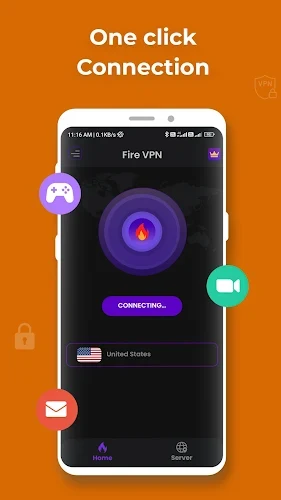
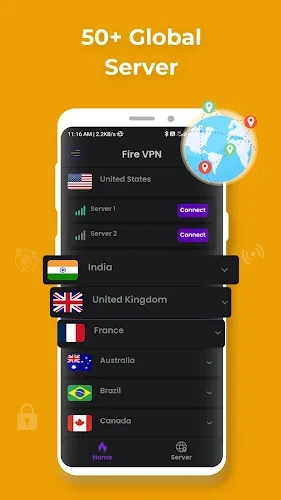
The app provides access to more than 50 servers worldwide, according to the source material. Users can change between available servers, select a country pin, or browse the server list. A one-touch connection option is intended to make connecting straightforward, while the service can also select a server automatically.
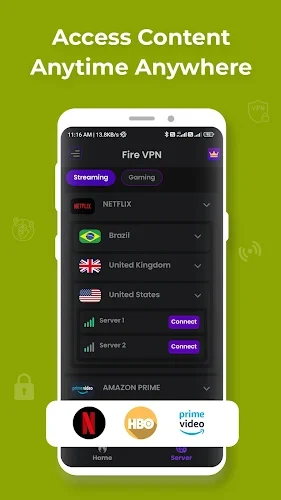
This server selection can be relevant when a user needs a different network route for a website, app, or streaming service. The description specifically mentions VPN streaming servers associated with HBO and Disney+, as well as access to shows, movies, and live broadcasts. Availability and access can still vary by location, service terms, and the selected server.
Does it include tools beyond the VPN connection?
Fire VPN - Vpn Proxy Browser includes data usage tracking. This gives users a way to review their internet usage patterns while using the application. The source does not specify the exact reporting format or the time period covered by the tracker, so those details should not be assumed.
The app is also presented as useful for mobile gaming. Its description refers to servers intended to help reduce latency or improve the connection experience in games such as PUBG, FreeFire, and Mobile Legends. This is a stated use case, not a guaranteed performance result, because latency depends on the game server, local connection, device, and VPN route.
What protection details are documented?
The supplied information identifies AES 128-bit protection standards and describes the app as hiding the user’s IP address. It also states that the service follows a no-logs policy and uses OpenVPN protocols. These are claims from the app description; the source does not provide independent verification, technical documentation, or a detailed explanation of how logging is handled.
The description presents the service as free and says that users can connect to VPN servers without a stated usage limit. It does not provide pricing terms, subscription details, or information about whether every server and feature is available under the same conditions. Users should therefore treat the listed cost and access statements as the supplied product description rather than as a broader service guarantee.
What setup information is provided?
The documented setup flow consists of installing the application, completing any required VPN settings or credentials, and connecting to a server. The source says that users can choose a country or scroll through the server list before connecting. It also notes that the device may request permission to trust the VPN application when the connection is started.
These details describe the general connection process without specifying particular Android menus, account requirements, or device settings. The source identifies the listed application version as 1.0.3, but it does not provide a supported Android version range.