



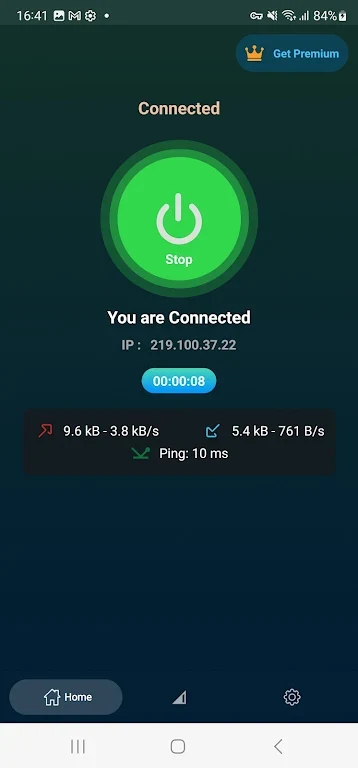
Fast Secure OpenVPN helps Android and iOS users create a VPN connection for more private web use, particularly when browsing on public Wi-Fi. The app encrypts internet traffic and offers servers in multiple countries, combining privacy-focused browsing with the ability to connect through a different region. Its purpose may be useful for people who want to reduce the visibility of their online activity to third parties or reach content that is unavailable in their current location. The interface is designed for a straightforward connection process rather than requiring specialist networking knowledge.
Encrypted connections for everyday browsing
The app describes its VPN connection as fast and secure, with encryption intended to help protect data from unauthorized access. By routing traffic through the VPN, it is designed to make it harder for third parties to monitor online activity or obtain sensitive information. This can be particularly relevant when using public Wi-Fi, where users may want an additional layer of privacy while browsing or handling personal data.
Servers in different countries
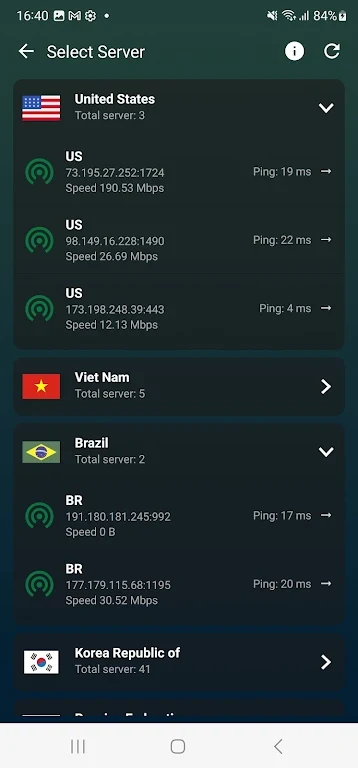
Fast Secure OpenVPN provides access to servers in multiple countries. Selecting a server in another country can help users connect through a different region when content is restricted by location or local network rules. The source material presents this as a way to access geo-restricted content and bypass some regional restrictions, although the availability of any particular website or service can still depend on its own policies.
A simple connection process
The user interface is intended to keep connecting to a VPN server simple. Users can select a server and establish a connection with a few taps, without needing prior technical knowledge. This makes the app’s main functions easy to understand: choose a location, connect to the VPN, and then browse through the encrypted connection.
Choosing a server for speed
The app’s guidance recommends choosing a server geographically close to the user when browsing speed is the priority. A nearer server may reduce latency compared with a more distant location. Conversely, someone trying to access content associated with another country may need to select a server there, accepting that the extra distance may affect connection performance.
Using the app on public Wi-Fi
Fast Secure OpenVPN can be used when connecting to public Wi-Fi networks, where encrypting traffic may help protect personal information from potential interception. The same connection can also support more private browsing in other situations. Its main functions therefore work together: encryption addresses traffic privacy, while the country-based server selection provides a way to use a different network location.