

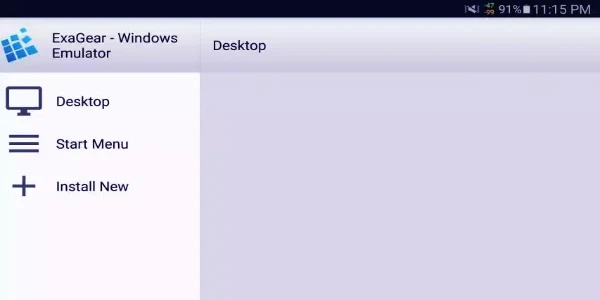
ExaGear Windows Emulator Free is designed for using selected Windows applications and classic PC games on an Android phone, tablet, or Chromebook. It provides a compatibility layer for Windows software on ARM Android devices, giving users a way to access supported office tools, entertainment software, utilities, and games outside a traditional Windows computer.
Running Windows software on an Android device
The emulator is intended for situations where a user needs to work with Windows applications from an Android device. Its documented compatibility includes Microsoft Office software, Adobe applications, games, and other Windows programs. This makes the app relevant for both productivity tasks and older PC entertainment software, although the source does not present it as a complete replacement for a native Windows environment.
ExaGear uses containers to organize the environment in which applications run. During setup, users can create a container with a selected resolution and 32-bit color depth. The source describes launching the Translation File Manager from the desktop, choosing the option suited to the device, and then opening the container through Container Management. These settings provide a defined environment for starting supported Windows software.
Installing the required application data
The supplied instructions describe a setup process that begins by installing the APK and opening it. If the application reports that its cache cannot be found, the .obb file needs to be placed in the /sdcard directory or, in some cases, in /sdcard/Android/obb/applicationname. The application can then unpack the cache before the container is created and launched.
This installation sequence is an important part of using the emulator because the source specifically identifies the cache file as required when that error appears. After the cache is unpacked, the container controls provide the route to the selected resolution, color depth, translation file manager, and run command.
Choosing touch, keyboard, and controller controls
ExaGear includes built-in touch controls for Android screens, including functional mouse and keyboard controls. This arrangement is intended for using the virtual Windows environment directly on a touchscreen without requiring another input device.
The emulator also supports external controllers and keyboards. Users can choose a control method that suits the application or game and customize key bindings according to their preferred operating habits. The source presents these options as ways to adjust interaction with the virtual Windows environment rather than as separate applications or automatic control profiles.
Adjusting the display for software and games
The screen settings can be customized to match the software being used. ExaGear allows users to select different screen ratios for games and applications or adjust the display so it fits with other on-screen elements. These controls are useful when the original Windows program was designed for a different screen shape or resolution.
Using the emulator without a network connection
The source states that ExaGear supports offline use, so users can work with the application without turning on mobile data or connecting to Wi-Fi. This applies to using the emulator itself as described in the supplied material; individual Windows applications may have their own requirements, which are not specified.
Understanding the 32-bit limitation
The original Eltechs version described in the source does not support 64-bit operations. It is limited to 32-bit Windows applications, which excludes many modern Windows titles and applications that require 64-bit support. Users therefore need to check whether the software they want to run is compatible with this 32-bit environment.
Interface and performance claims
ExaGear is described as having a straightforward interface for installing and launching Windows applications and changing settings without requiring detailed technical knowledge. The source also claims fast and stable operation for Windows applications, including CPU-intensive tasks and games, but actual results may depend on the Android device and the software being run. The description states that the emulator is designed to run on most mobile phone models, without supplying a specific compatibility list.