

eVPN Android helps users create an encrypted VPN connection for browsing, streaming, and using online services across different networks. The app is designed for straightforward access: there is no registration step, no subscription fee according to the supplied information, and a one-touch connection process. It offers unlimited bandwidth and a choice of more than 100 VPN servers worldwide, which can be useful for people who want to protect data on Wi-Fi or connect through servers in other regions.
Quick access without registration
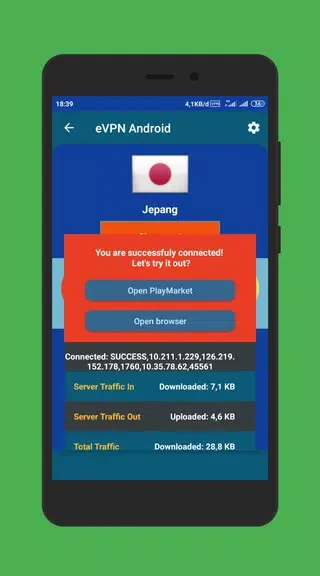
The app focuses on a simple setup rather than a lengthy account process. Users can start using its VPN features without registering, and the source states that no personal information is required to access them. A one-touch connection option brings the main connection action into a single step, making the app suitable for users who want to avoid complex configuration.
Servers for international connections
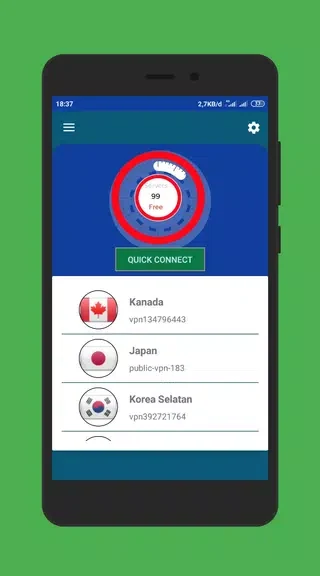
eVPN Android provides access to more than 100 VPN servers around the world. The supplied information also describes servers in more than 60 countries, including the United States, Brazil, Germany, and India. This range gives users different server locations to choose from when they want to connect through another country or attempt to access content affected by regional restrictions. Server availability and the ability to reach specific services can vary, so the app should not be treated as a guarantee that every restriction will be bypassed.
Encryption with OpenVPN TCP
The app uses the OpenVPN TCP protocol to encrypt data sent through the VPN connection. This is intended to help protect online activity and Wi-Fi hotspot traffic from unauthorized access. The source presents the encryption as a privacy and security feature, particularly when using public wireless networks. It does not provide technical detail about the encryption implementation beyond the stated protocol.
Bandwidth and network support
Unlimited bandwidth is included in the app’s feature set, so the source does not describe a usage cap for browsing or streaming through the VPN. It is presented as supporting Wi-Fi, 5G, 4G, and 3G connections, as well as mobile data operators. The app also describes its VPN connection as stable and fast, although actual performance can depend on the selected server, network conditions, and the user’s connection.
Protecting a Wi-Fi hotspot
A built-in hotspot protection feature is described as another way to safeguard a shared connection. By using OpenVPN TCP to encrypt data, the app is intended to help prevent unauthorized access to traffic passing through the protected hotspot. This function works alongside the wider VPN connection rather than requiring a separate security tool.