

Overview
EPIK is a photo editing app that supplies over 100 collage templates, object removal, background tools, makeup effects, and professional editing controls. Users can create album or magazine covers with frames that hold up to 16 images, erase unwanted items, generate transparent backgrounds, and apply touch-up brushes for skin, lenses, and lips. The app also includes text, stickers, and shapes for personalization. Advanced options cover HSL, curves, split toning, selective coloring, gloss, texture, grain, brightness, vignette, crop, rotate, mirror, flip, perspective correction, resolution adjustment, batch editing, and patch or clone restoration. These features support both quick social-media posts and more detailed portrait or creative work.
What You Can Do
⭐ Hundreds of collage templates let users arrange multiple photos into album or magazine cover layouts, with each frame accommodating as many as 16 images.
⭐ The object removal tool erases unwanted items from photos in seconds while preserving the surrounding area.
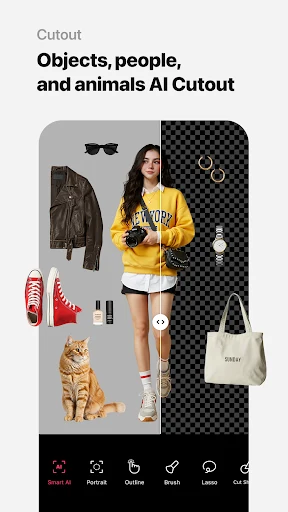
⭐ Background tools produce solid-color or transparent results and include AI fixes for distorted areas.
⭐ Makeup brushes adjust skin radiance, contact-lens color, and lip appearance for quick portrait enhancements.
⭐ Decoration tools add titles, thousands of stickers, hand-drawn art, and shapes to customize finished images.
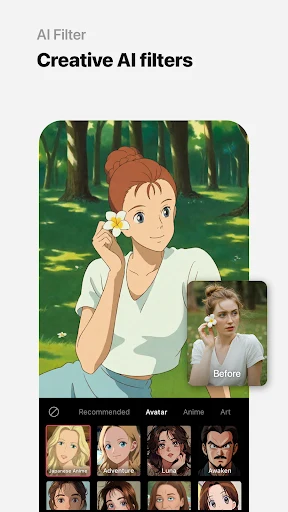
⭐ Artistic effects apply spot color, mosaics, and atmosphere filters created through lighting and texture overlays.
Using the App
Users access adjustment controls such as HSL, curves, split toning, selective coloring, gloss, texture, grain, brightness, and vignette directly on the editing screen. Crop, rotate, mirror, flip, and perspective tools appear alongside resolution settings and batch-editing options for similar photos. Patch and clone functions support natural restoration work. The interface presents these tools in organized sections, allowing both simple sticker or text additions and deeper color or lighting refinements without leaving the main workspace.
Why It May Appeal
✅ A wide variety of professional editing tools and high-quality filters are available in one place.
✅ The interface is described as user-friendly for all experience levels.
✅ AI-powered functions simplify tasks such as object removal and background fixes.
✅ Comprehensive sticker, text, and template libraries support creative social-media and announcement projects.
Things to Consider
❎ Some advanced features require payment.
❎ Resource-intensive operations may cause performance lag on certain devices.
❎ Advertisements appear in the free version.