

Enlight Pixaloop is a motion photo editing app for Android that converts still photos into animated videos or looping GIFs. Its listed tools focus on directing movement within a picture, such as clouds, water, or sky, and on adding visual effects that support the animation. The app is listed in the Photography category.
Motion and animation controls
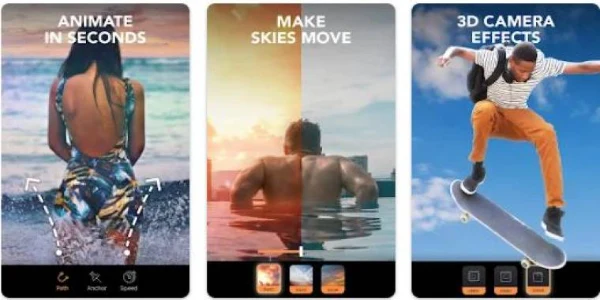
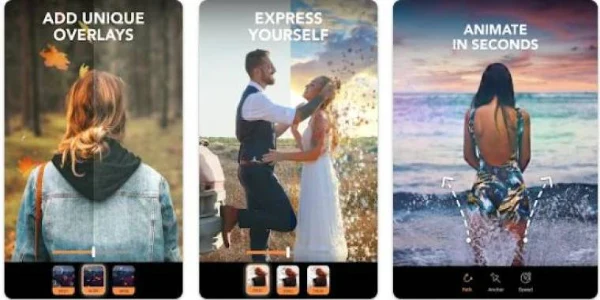
The core workflow centers on animation. Users can build animations with motion paths and anchor points, which the description says allow precise control over how elements in a photo flow. Three tools are described for the process: arrows, anchor points, and a freeze brush. Arrows add movement to a chosen element, with the arrowhead showing the direction of motion and a longer arrow extending the area the effect covers. Anchor points slow the speed of the animation, and the freeze brush keeps selected areas still so that specific parts of the photo stay in place. The description states that these tools can be combined to build more dramatic results.
Masking, overlays, and visual effects
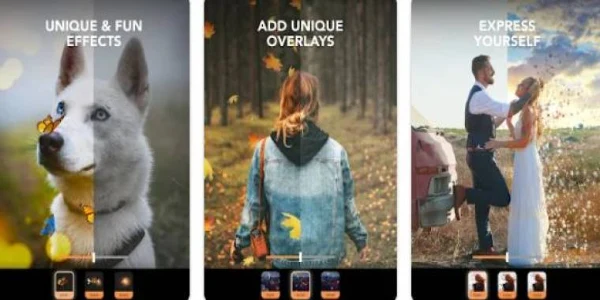
Masking features are listed for protecting specific areas of a photo while other parts are animated. The app also includes a library of animated overlays and visual effects, such as moving clouds, dynamic light spots, weather effects, and sparkles, which can be used to add mood to an image. For sky changes, the description mentions replacing skies with different weather effects and sunsets.
Backgrounds, adjustments, and filters
Beyond motion, the description lists several editing functions. Background changes can use existing backgrounds or custom designs created by the user. The app also offers 3D adjustments for pictures, along with filters meant to enhance the look of an image. Professional color adjustment tools are described as part of the editing set, and the app includes cinematic video-style effects, including speed adjustments and perspective changes.
Timelapse and sharing
The source describes a timelapse function, with settings intended to help users create a timelapse from their images. Finished work can be shared directly to Instagram and other platforms, according to the feature list.
Practical notes from the description
Results depend partly on the starting image. The description notes that a good source photograph is needed for high-quality output, and that creating a polished animated photo takes a meaningful amount of time even though the interface is described as intuitive. Arrows placed on a photo indicate the animation that will be applied later, so their placement affects the final result.
Pricing details
The description contains conflicting statements about cost. Some features are described as free to use, while other parts of the text refer to paid features, subscriptions, and limits in the free version. Because these details do not agree, this profile does not state which features are free. Current pricing and in-app purchase terms should be checked in the store listing before installing.