


Dunno helps users look up English vocabulary, practise pronunciation, and translate text even when an internet connection is unavailable for its supported offline features. A search can provide a word’s meaning, example sentences, grammar information, related phrases, and audio in standard British and American pronunciation. The app also connects reference tools with learning activities: users can save unfamiliar words, revisit them with flashcards and quizzes, and work through grammar or exam-preparation material. For broader translation needs, it supports text, voice, and camera-based input across dozens of languages.
Dictionary entries designed for learning
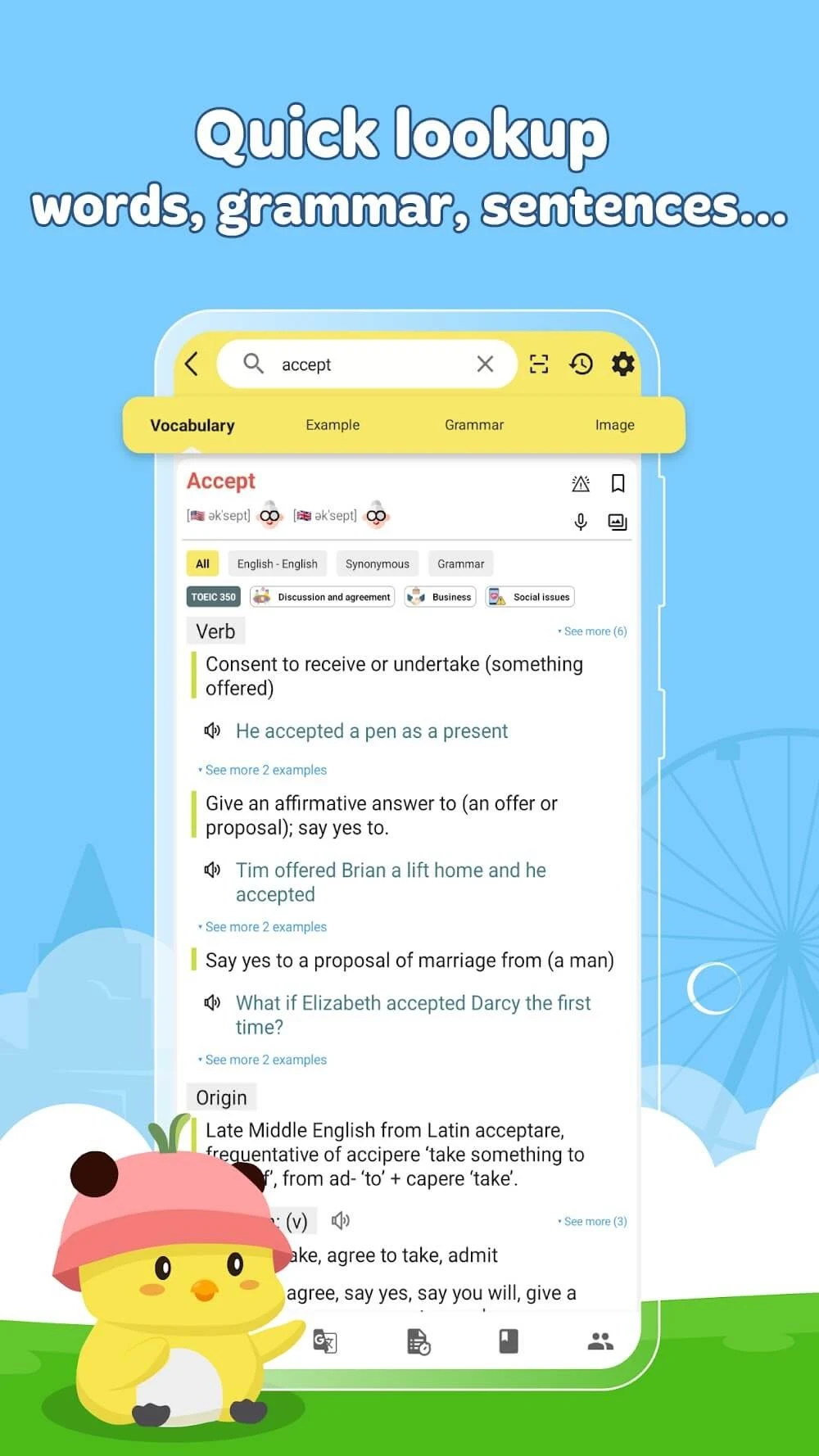
The dictionary goes beyond a single definition. Dunno includes Vietnamese-English and English-English reference content, with more than two million definitions and accompanying grammar structures described in the source material. A lookup can show word types, related phrases, idiomatic expressions, example usage, and natural English alternatives when a direct word-for-word translation would not express the intended phrase well. This makes the search useful both for understanding an unfamiliar word and for seeing how it fits into a sentence.
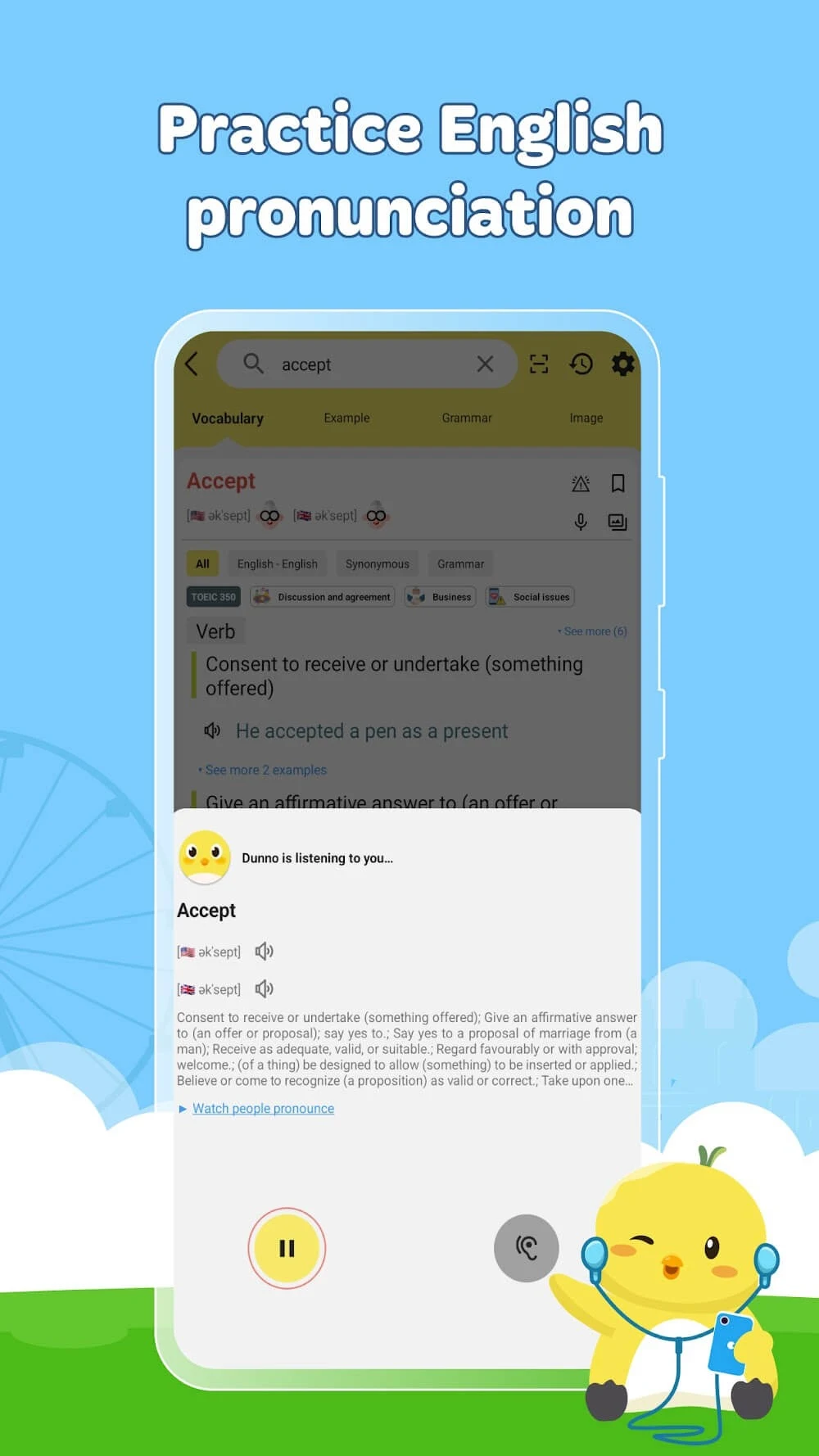
Pronunciation support is built into the entry rather than treated as a separate tool. Each word includes audio in both British and American accents. Users can record their own speech, compare it with a native speaker’s pronunciation, and receive a score indicating which syllable needs attention. The app also includes idiomatic phrases, giving learners additional context for everyday English.
Translation by text, voice, or camera
Dunno can translate between dozens of languages using typed text, spoken input, or photographs. The camera option is intended for recognising and translating text captured in an image, while voice and bilingual conversation tools support spoken exchanges. The source describes support for up to 40 languages on Android. Together, these input methods cover different situations: typing is practical for a word or sentence, voice is suited to direct conversation, and a photo can help with visible text.
Real-time voice recognition is included to support spoken translation. The same voice-oriented tools can also make communication more direct when users are speaking with someone who uses another language. The main dictionary and many learning functions can be used offline, although the source does not state that every translation method or language pack works without a connection.
Saving vocabulary and building a review routine
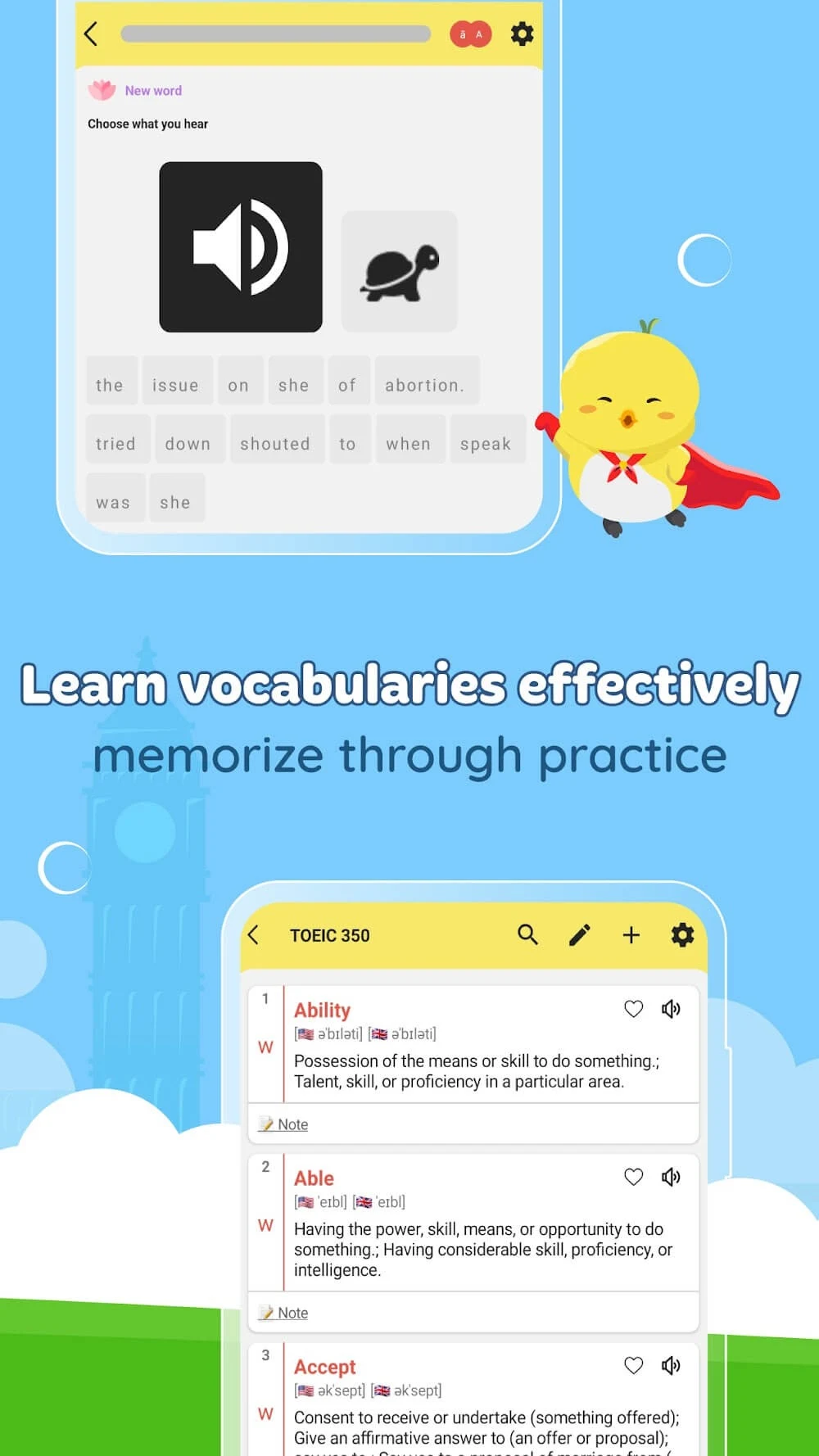
Words can be added to a notebook with one tap when they are worth revisiting. Saved vocabulary can then be reviewed through flashcards and quizzes, while daily quizzes and review questions provide regular practice instead of leaving the words in a passive list. The app also tracks learned words, sentences, and grammar points, giving users a way to see their progress through these areas.
Built-in word lists cover 3,000 TOEIC words as well as IELTS, TOEFL, and SAT vocabulary. These lists are organised by subject, level, and school grade, so learners can choose material connected to a particular goal or stage. The combination of saved words, prepared lists, flashcards, and quizzes supports both occasional reference and planned vocabulary study.
Grammar, writing, and exam practice
Dunno includes 172 grammar structures arranged from easier to more advanced examples. This ordering can help learners move through grammar topics progressively while consulting examples for context. Users can also paste a sentence to identify spelling and grammar mistakes. Each correction is accompanied by an explanation, making the tool useful for understanding why a change is needed rather than only replacing the original wording.
For exam-focused study, the app provides full mock tests with answer keys and detailed explanations for every question. Tests are sorted by difficulty and include TOEIC preparation material. These features sit alongside the dictionary and vocabulary notebook, allowing a learner to move from checking a word or grammar point to reviewing it and then testing their understanding.
Interface and everyday use
The source describes a redesigned interface with a consistent appearance in light and dark modes, along with simpler navigation for search, notebooks, and mock tests. It also mentions smoother scrolling, quicker lookups, and stability improvements. Related words are displayed as wrapping chips, and the brighter yellow default theme includes adjusted header text and camera and microphone icons for readability. These interface details support the app’s main uses without changing its role as a dictionary, translator, and English study tool.