


Overview
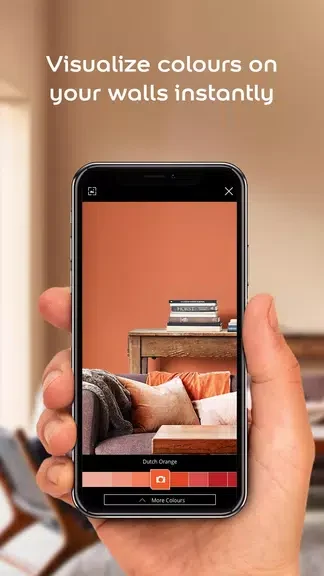
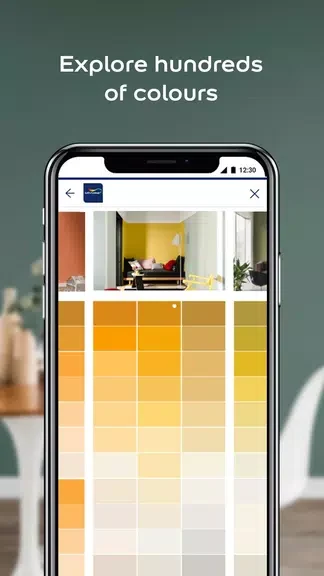
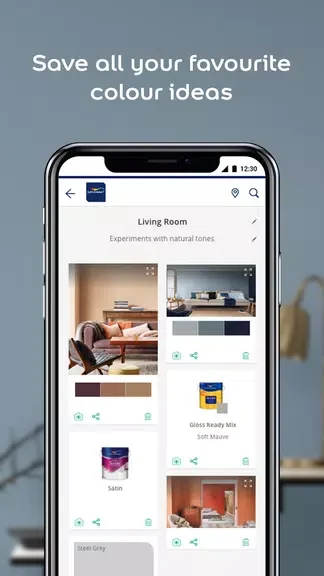
Dulux Visualizer ZA helps you explore wall colours before committing to a paint choice. Using augmented reality, the app can show potential Dulux colours on your walls in real time, making it easier to compare shades in your own space. You can also browse Dulux products and colours, capture inspirational colours from the world around you, and save ideas for later. Sharing visualisations with friends and family adds a collaborative step to the planning process, whether you are refining one room or considering a broader colour palette.
What You Can Do
⭐ Use the augmented reality visualiser to see paint colours appear on your walls. This lets you experiment with different shades in the space where they may be used instead of relying only on colour swatches.
⭐ Explore the Dulux range of products and colours to review a broad selection of available paint options and find shades that suit your preferred style.
⭐ Capture and save inspirational colours from your surroundings. These saved ideas can help you create a more personal palette based on colours you notice in everyday environments.
⭐ Share your visualisations with friends and family so they can offer opinions or take part in choosing a new look for your home.
⭐ Use the Photo Visualizer mode when it is more suitable for your device or planning process. This provides a static way to view colours alongside the dynamic augmented reality experience.
Using the App
Start by trying different colours on a wall through the augmented reality mode and compare how the shades look in your space. Device compatibility affects which visualisation options are available: devices with the required movement sensors can use the augmented reality experience, while Photo Visualizer mode provides a static alternative. You can combine these viewing methods with saved inspirational colours and shared designs to review possibilities before deciding on a palette.
Why It May Appeal
✅ Seeing colours on your own walls can make comparing options more practical than judging isolated swatches.
✅ The ability to save colours from your surroundings supports a more individual approach to choosing a palette.
✅ Sharing visualisations makes it easier to gather input from other people involved in the painting decision.
Things to Consider
❎ The augmented reality experience depends on device compatibility and movement sensors, so some users may need to use the Photo Visualizer mode instead.
Developer
Dulux Visualizer ZA is supplied by AkzoNobel.