
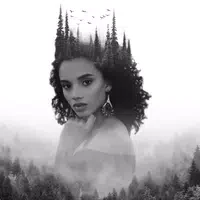
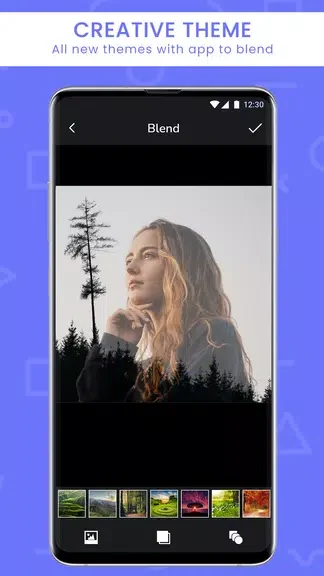
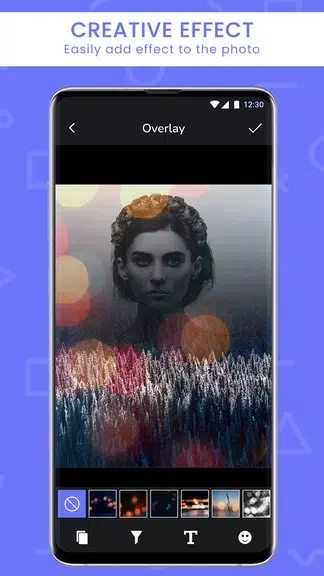

Double Exposure helps you combine two photos into one image, giving you a way to create layered compositions from pictures you already have. Its photo-blender and mixer tools bring the images together, while overlay effects and collage options offer other ways to shape the result. Filters and effects, including vintage looks and light leaks, can add further visual treatment. The interface is described as easy to navigate, with editing options intended for both beginners and more experienced photographers. When your edit is ready, the app supports sharing it directly to Instagram, Facebook, and Twitter.
Blending two images
The central task is merging two photos. Double Exposure includes blending modes such as overlay, screen, and multiply, which can produce different looks from the same pair of images. Opacity and contrast adjustments for each photo layer let you fine-tune how strongly the images appear and how they balance together. Trying different modes and adjustments provides a way to refine the composite rather than relying on a single preset result.
Finishing the composition
Filters and effects extend the editing process beyond the blend itself. The available examples include vintage filters and light leaks, while textures and borders can be added for a more stylized finish. These options let you change the appearance of the merged image and give its edges or surface additional treatment. The app also includes collage options, though the supplied details do not describe specific collage layouts or controls.
Editing and sharing
The app’s interface is presented as straightforward to navigate, so users can move between its editing features and effects. Once a photo is edited, direct sharing is available for Instagram, Facebook, and Twitter. This connects image creation with posting, without requiring a separate export-and-upload step according to the app description. The source does not specify other sharing destinations or additional editing tools.