


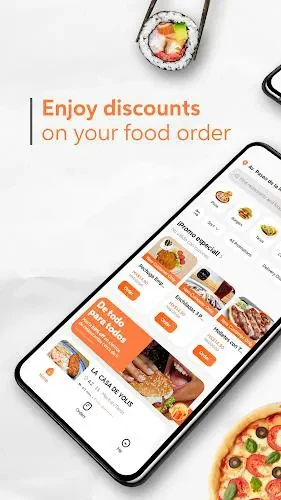
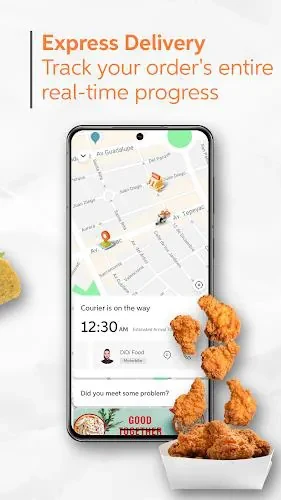

DiDi Food helps users order meals from local restaurants and track each delivery from preparation through arrival. The app brings restaurant discovery, menu browsing, meal customization, checkout, and delivery updates into one ordering process for individual meals, family orders, or repeated workplace lunches.
Finding restaurants and choosing meals
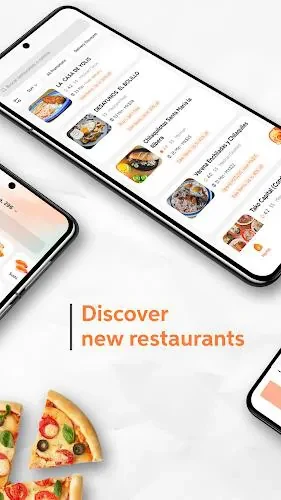
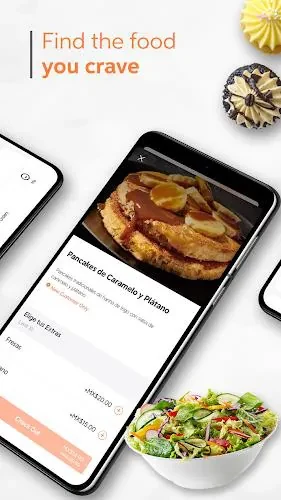
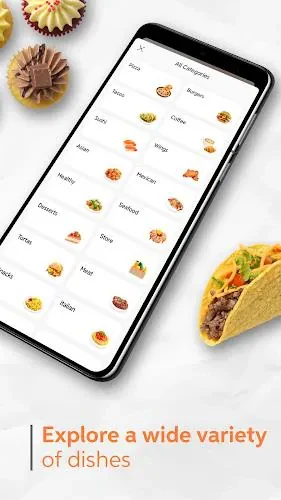
Restaurant listings can be filtered by cuisine, ratings, estimated delivery time, and distance. Search results show delivery estimates without requiring every listing to be opened, which helps users compare options against their schedule. After selecting a restaurant, users can review its menu, choose quantities and extras, and add notes to tailor the order to their preferences or dietary requirements.
The interface uses clear tabs for Home, Orders, Offers, and Profile. Buttons are designed for one-handed use, while limited image use is intended to keep menus responsive on slower networks. Recent addresses and preferred payment methods can be saved to reduce repeated entry during checkout.
Ordering and checkout tools
To place an order, select a restaurant, choose menu items, adjust available options, and continue to checkout. Cards, mobile wallets, and applicable in-app promotions are supported payment options. Promo codes and reward credits can be applied before the order is confirmed, while transaction receipts remain available in the app. Order histories can also be exported for expense tracking.
Promotions may include discounts, bundle deals, and reward credits. These offers can help users review potential savings before completing an order, although their availability depends on the specific offer shown in the app. The checkout process also uses saved delivery addresses, including options such as home and work addresses, to reduce typing and address-entry mistakes.
Delivery status and courier contact
After confirmation, DiDi Food displays an estimated preparation time. When a delivery partner is assigned, the app provides status updates and a map view showing the courier's position, current estimated arrival time, and route. The map can adjust its zoom as the delivery progresses.
Notifications can mark key stages such as order acceptance, pickup, and arrival. Once a driver accepts the delivery, the app may show the driver's photo and vehicle type. If delivery instructions need to be changed, an in-app chat or call option can connect the user with the courier.
Account support and permissions
Customer service is available through the app, with automated frequently asked questions and human assistance for more complex issues. Users can follow unresolved disputes, while refund and order-adjustment requests are handled according to the service's stated policies. Concise error messages can suggest next steps, such as retrying a payment or contacting support.
The app typically requests location access for delivery routing and arrival estimates. Microphone access may be requested when voice search is enabled. Permission levels can be managed through Android device settings. DiDi Food also keeps receipts and order history within the account, giving users a record of previous purchases and delivery activity.
Options for planned orders
Where the feature is supported in a user's region, orders can be scheduled ahead of time. This gives users another way to arrange meals around busy periods rather than placing every order immediately. The app's restaurant ratings, recent reviews, and delivery estimates can also be considered when comparing available choices.