

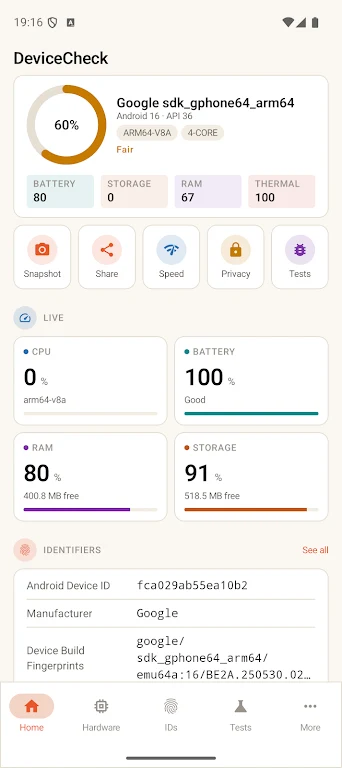
Device Id: Phone Info & Tests helps Android users inspect their phone through a single device information and testing app. It can generate a broad check report covering software, hardware, identifiers, sensors, SIM details, processor information, benchmarks, and battery health. The app is designed for several practical tasks: recording specifications when selling a phone, checking a used device before payment, or investigating possible malfunctions. Its clearest benefit is bringing many phone details and checks together in a concise interface, including information that may otherwise require searching through system settings.
What phone information can you view?
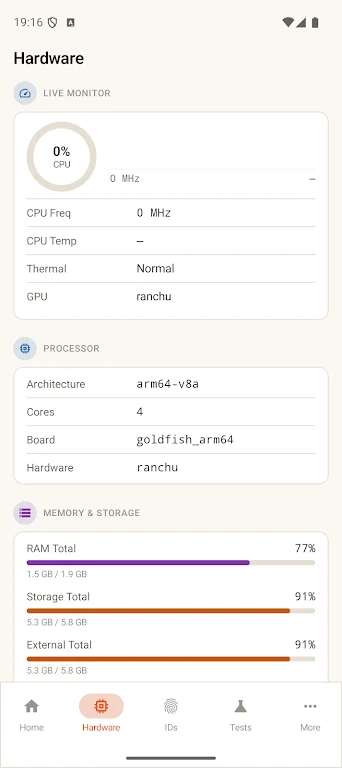
The app presents device and phone information, system information, hardware information, CPU and processor details, SIM card information, real-time sensor data, and battery health. It also includes device benchmarks alongside device and hardware tests, giving users several ways to review the phone’s reported specifications and operation.
Which identifiers does the app display?
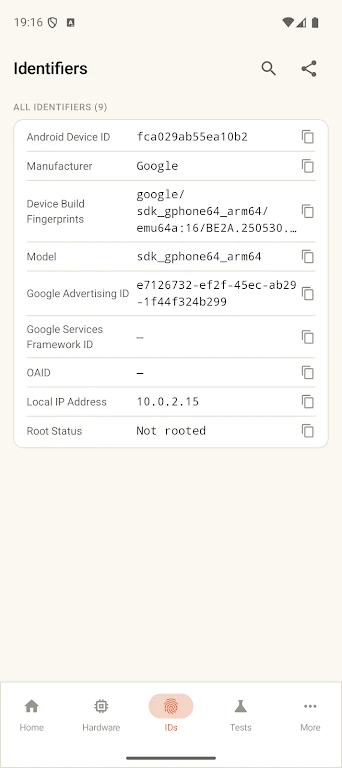
Device Id: Phone Info & Tests displays the GSF ID, also described as the Android ID, the device codename used by the manufacturer and developer, and the email address associated with the phone account. These details can be useful when troubleshooting app issues, checking ROM or version information, or identifying active accounts. The values are grouped in one place for easier access.
Can it be used without an internet connection?
Yes. The source describes the app as having an offline design that does not require internet access. This allows users to view the identifiers and other available information locally, including in workplaces with strict network rules or situations where an internet connection is unavailable.
Does it help with phone sales and checks before purchase?
The app can produce a specification report for sharing when selling a phone, and it includes one-click sharing for those reports. For a used-phone purchase, its hardware and device tests can help the buyer review the phone before payment. It also includes a built-in privacy scanner and can compare the current phone with the same phone from the previous month to help identify changes.
What is the app’s interface and pricing model?
The interface is described as clean and concise, with clearly labeled values visible without extra menus. The app is listed as free, with no in-app purchases or hidden upgrades. The source also advises using the latest version on the device for accurate results.