


Overview
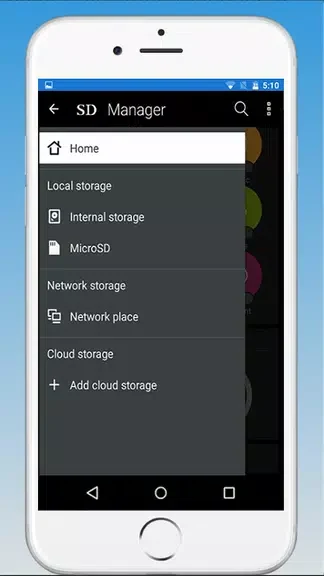
Damaged Sd card Formatter is designed to help users inspect and format selected SD card storage from an Android device. The app supports choosing between an internal or external SD card and provides a memory path so users can identify the storage location before proceeding. Its workflow combines background scanning with file categories, previews, and a list that places the largest files first. These tools can make it easier to review what is stored before using the format control, but the process is permanent and removes data such as photos and videos in the DCIM folder.
What You Can Do
⭐ Select an internal or external SD card before starting the formatting process.
⭐ Locate the memory path to help confirm which storage device is selected.
⭐ Start an erase operation with a simple format button.
⭐ Let the app scan files in the background while the process continues after you close the app.
⭐ Browse categorized files to make stored content easier to navigate.
⭐ Preview files and view the largest files first before deciding what to erase.
Using the App
Begin by identifying the intended storage location and checking its memory path. After selecting the internal or external SD card, use the scanning and file-browsing tools to review the contents. Categories help organize the results, while previews provide an additional check before deletion. The largest-files-first list can bring space-consuming items to your attention quickly. When the selection is confirmed, the format button starts the erase operation. Scanning is described as a background task, so the app can be closed while it completes.
Why It May Appeal
✅ The simple format control offers a direct way to erase selected SD card data.
✅ File categories, previews, and the largest-files-first list support a more informed review before erasing content.
✅ Background scanning can let users leave the app while the scan continues.
Things to Consider
❎ Formatting permanently erases data, including photos and videos stored in the DCIM folder.
❎ The source states that no backup is available, so important files should be backed up separately before using the erase function.
❎ Selecting the wrong storage device or overlooking the memory path could result in unwanted data loss.