

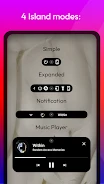
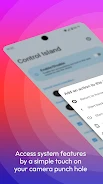
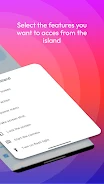
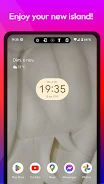
Control Island puts shortcuts and selected notifications at the punch hole of a device’s front camera. It is designed for phones and tablets, with shortcuts for actions such as returning to the home screen, going back, opening the power menu, taking a screenshot, locking the screen, starting the camera, and turning on the flashlight.
Shortcuts for device actions
The app lets you create multiple shortcuts that are accessible from the punch hole. Available actions include returning to the home screen with a tap and initiating the back action. The power menu shortcut opens the device’s power menu, which can provide options such as restarting or shutting down. Other shortcuts can capture a screenshot, launch the camera app, lock the screen, or switch on the flashlight.
Battery and music notifications
Control Island can display a low-battery alert and show battery charging notifications through the punch hole. It can also display the music player and provide playback controls, including play, pause, and skipping tracks. These notifications and controls are intended to be accessible without leaving the current task.
Permissions
Accessibility permission is used to access touch events in the status bar and initiate actions for shortcuts. Notification permission allows the app to display media player notifications and updates about music playback. These permissions support the shortcut and notification functions described by the app.