
Overview
Coloring gives Android users a simple way to spend a few quiet minutes or settle into a longer creative session. The app includes more than 3,000 professional pictures covering floral designs, animals, and sea creatures. You can work with an unlimited color palette, select different brush widths, fill areas with a tap, and undo mistakes while refining a picture. Progress can be saved so a design does not need to be completed in one sitting, and finished creations can be shared with friends and family through social media.
What You Can Do
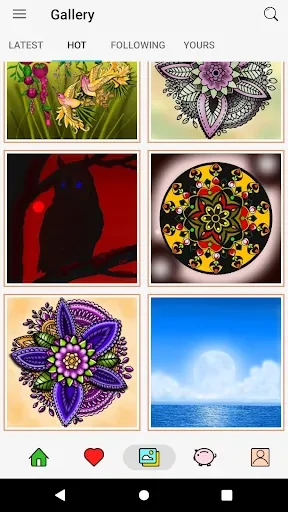
⭐ Choose from an extensive collection of over 3,000 professional coloring pictures, including intricate flowers, adorable animals, and majestic sea-themed designs.
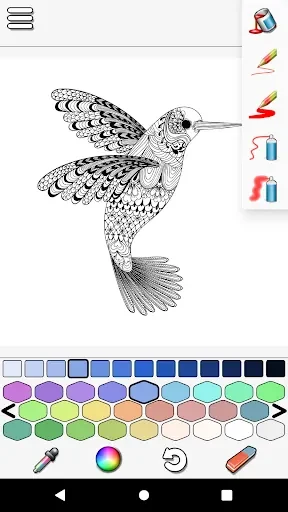
⭐ Use the unlimited color palette to select colors freely and create combinations that suit your preferred style.
⭐ Apply color with different brush widths, giving you more control when working on broad areas or smaller details.
⭐ Tap to fill sections of a picture for a straightforward coloring workflow that reduces the effort of covering larger enclosed areas.
⭐ Undo mistakes as you work, making it easier to experiment and adjust a design without having to start over.
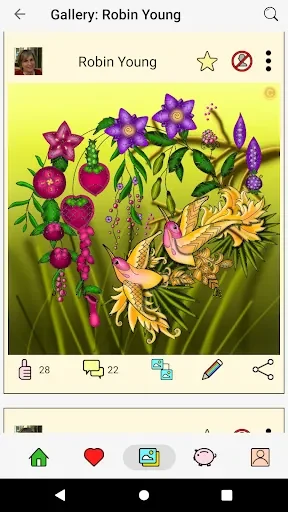
⭐ Save your progress and return to a picture later, then share completed creations directly with friends and family on social media.
Using the App
Start by selecting a design from the floral, animal, or sea-themed collection. Choose colors from the unlimited palette, then use tap-to-fill or a brush with the width that fits the area you are working on. If a color or stroke does not look right, the undo option lets you correct it. The app is suited to both short breaks and longer sessions because saved progress allows you to pause and continue later. Its coloring-focused tools also support a calm, present-focused activity for users who enjoy creative relaxation.
Why It May Appeal
✅ The large collection provides many subjects and styles to explore, with more than 3,000 pictures available.
✅ Flexible color and brush controls let users approach the same design in their own way.
✅ Free pictures are available without time limits, and the source states that no hidden fees or in-app purchases are required for the basic features.
✅ Saving and sharing make it practical to develop a picture gradually and show the finished result to others.
Things to Consider
❎ The app is focused on coloring pictures rather than providing a broader set of creative drawing tools, so it may be less suitable for users looking for open-ended illustration features.
Developer
Coloring is developed by Teazel Ltd.