

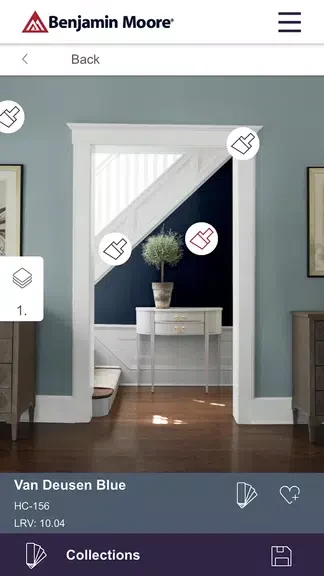
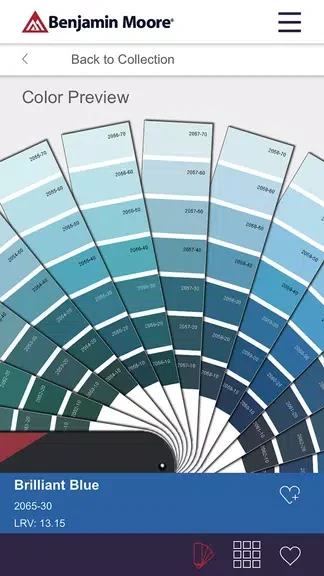
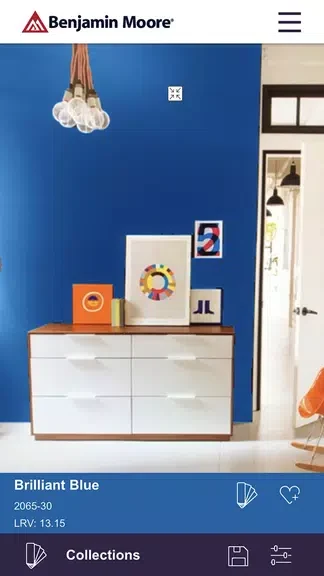
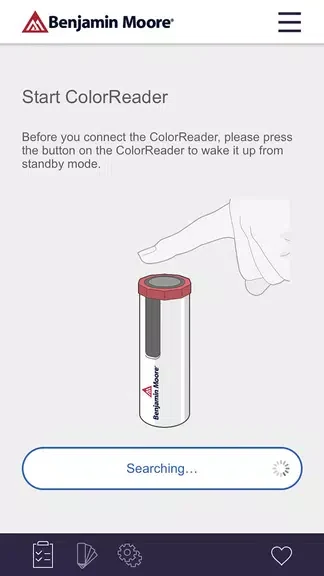
Color Portfolio helps users explore Benjamin Moore paint colors and assess how different shades may suit a room or project. Its Virtual Fan Deck provides access to collections such as Color Preview®, Affinity®, and Historical Collection, while the Photo Visualizer shows selected colors on room walls. The Video Visualizer uses augmented reality to display colors on surfaces in real time. For matching an existing color, the app can also work with the Benjamin Moore ColorReader device to connect a real-world color with a shade in the Benjamin Moore library.
Browse Benjamin Moore color collections
The Virtual Fan Deck offers a digital way to look through Benjamin Moore’s extensive selection of colors. It includes the Color Preview®, Affinity®, and Historical Collection ranges, giving users several organized collections to examine while considering a palette for a room or other painting project.
Preview colors in a room
With the Photo Visualizer, users can take a photo of a room and view how different Benjamin Moore colors appear on its walls. This makes the color-selection process more closely related to the space being redecorated than browsing swatches alone.
Use augmented reality for surface previews
The Video Visualizer provides a real-time view of Benjamin Moore paint colors on different surfaces through augmented reality. Together with the photo tool, it lets users consider color choices through both a captured room image and a live visualizer.
Match colors with ColorReader
Color Portfolio supports precision color matching through the Benjamin Moore ColorReader device. The device can be used to match a color found in the real world with colors available in the app’s Benjamin Moore library, which is useful when working from an existing color rather than starting with a blank palette.