





Overview
Clean Master is a mobile cleaning and maintenance tool for reviewing storage, memory use, battery activity, and installed software in one app. It can scan for temporary files, old APKs, cache data, duplicate files, and other items that may no longer be needed. Its dashboard also brings together phone boosting, CPU temperature monitoring, battery-saving controls, antivirus scanning, and app management. Depending on the task, users can inspect what is taking up space, see which apps are consuming resources, place selected apps into hibernation, or remove software they no longer use. The app is listed as version 9.4.9.
What You Can Do
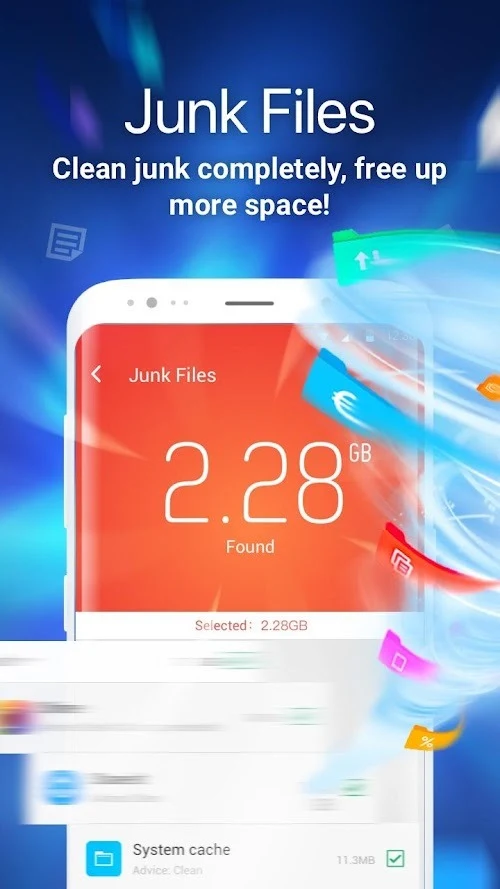
⭐ Clean junk files: The junk-cleaning tool scans temporary files, old APKs, and cache data to identify items that may be unused or unnecessary. Users can review the results and start removal with a tap. The app can also notify users when accumulated junk is affecting available storage or device performance.
⭐ Boost memory: The memory tool shows which apps are using RAM and helps users decide which ones should remain active. A home-screen widget is also described as an additional way to access memory controls without opening the full app.
⭐ Use Phone Boost: Phone Boost measures the amount of RAM that could be cleared and checks CPU temperature. It can start the CPU Cooler function, which looks for intensive applications and shuts them down to reduce processor load. The source also states that reducing RAM usage may lower the phone’s temperature.
⭐ Scan for dangerous files: The antivirus feature scans installed or downloaded apps for potentially harmful files. When it identifies a problem, it describes the possible harm and suggests a response, normally removing the affected app. This is a scanning and removal workflow rather than a guarantee that every threat will be detected.
⭐ Manage battery use: Battery Saver identifies apps that may be consuming power in the background. Users can shut down apps they do not need when battery levels are low, using the same dashboard instead of closing them individually. The app also includes hibernation controls for placing selected running apps into a dormant state.
⭐ Manage downloaded apps and APK files: The App Manager lists downloaded applications and APK files from outside sources. This gives users a place to review older or unused software and remove items they no longer want to keep.
Using the App
Clean Master is organized around scan-and-review actions. A user can begin with a whole-device cleanup, inspect the categories returned by the scan, and remove selected junk rather than searching through folders manually. For performance-related tasks, the workflow focuses on observing RAM use, CPU temperature, and active applications before choosing which processes to stop. The CPU Cooler and Phone Boost tools use similar controls, with an emphasis on finding resource-intensive apps and reducing their activity.
Battery management follows a comparable approach. The Battery Saver dashboard lists applications that may be using power in the background, while hibernation provides another way to suspend selected apps. Widgets are mentioned for both memory boosting and battery hibernation, giving users quicker access from the home screen. The source does not provide detailed information about offline operation, device compatibility, permissions, or whether every action requires confirmation, so those details should be checked on the specific Android installation.
Privacy-related controls include deleting browsing history and messages, as well as removing other selected files. These options may be useful for users who want to review personal data alongside storage cleanup. Because deletion can be difficult to reverse, users should check the selected items carefully before confirming an action.
Why It May Appeal
✅ The app brings several maintenance tasks into a single dashboard instead of requiring separate tools for junk cleanup, memory review, battery control, antivirus scanning, and app removal.
✅ Its storage tools cover more than cache data: the source also identifies temporary files, old APKs, duplicate files, and downloaded applications as items users can review.
✅ Resource information is presented in practical terms, including RAM that may be cleared, apps using memory, background battery consumption, and CPU temperature.
✅ The optional widgets can make selected memory and battery actions more accessible from the home screen.
✅ The app includes tools for inspecting and deleting browsing history and messages, giving users additional control over certain personal data stored on the device.
Things to Consider
❎ User feedback is mixed. Some reviewers reported that cleanup did not noticeably change storage use or resolve performance problems, while others said the app helped them remove old videos, screenshots, duplicates, or other media.
❎ Several reviews mention advertisements appearing during use. One detailed review also described losing a long selection session after leaving the duplicate-media screen and raised concerns about similar video grouping, where files with comparable thumbnails could require careful manual checking.
❎ The source does not establish that the app can safely remove every suggested file, prevent all malware, or improve battery life on every device. Results may depend on the phone, the selected files, and the apps being managed.
Version Information
The supplied listing identifies Clean Master as version 9.4.9. No reliable update history or detailed change log is provided, so specific changes associated with this version cannot be confirmed.
Market Reception
The supplied user comments describe different experiences rather than a consistent consensus. Positive feedback highlights media cleanup and the ability to group similar photos or videos for review. Critical feedback focuses on unclear results, advertisements, selection progress being lost, and the need to inspect similar video matches carefully before deletion.