


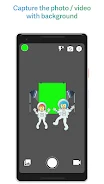


Chromavid is an app for creating videos and photos with chroma key effects. Its main purpose is to replace a selected plain background color with an image of your choice, allowing you to produce visual compositions for personal projects or social media content.
Replace a color with a custom background
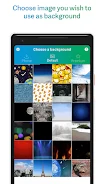
The app supports several chroma key color choices, including blue, green, yellow, and red. After selecting a color, you can use an image from your phone’s gallery as the replacement background. This gives the captured subject a different visual setting without requiring the background image to be created inside the app.
Chromavid describes these effects as usable in real time for both videos and photos. The interface is presented as simple and intuitive, with the chroma key controls focused on choosing a color and selecting the background image that matches the intended composition.
Recording and premium-related options
The description associates a subscription with unlimited recording time, removal of the Chromavid logo, and access to a premium pack. The stated premium benefits also mention filters, transitions, and special effects. These options are presented as additions for users who want longer recordings or content without the app’s branding.
Save and share finished creations
Once a video or photo is created, Chromavid provides options to save it and share it with friends or followers through social media. Saved videos and photos are described as being placed in a dedicated folder on the device, giving users a defined location for accessing their completed work.