

Overview
Catalog And Pos System By Kyte brings point-of-sale, catalog, inventory, and order management tools together for retail stores and small businesses. From a phone, users can add products to a cart, manage payments, monitor online and offline sales, and review business data. The app also connects an online storefront with Instagram, Facebook, and WhatsApp, helping businesses manage orders from social channels alongside in-store activity. Its digital catalog can be shared online, while real-time inventory updates help users keep track of incoming stock, sales, and available products. Built-in AI can assist with writing product descriptions for catalog and marketing use.
What You Can Do
⭐ Create a digital product catalog to showcase items for local customers, handcrafted goods, or wholesale products. The catalog can be customized and shared through channels such as Instagram, giving customers a way to view products beyond the physical store.
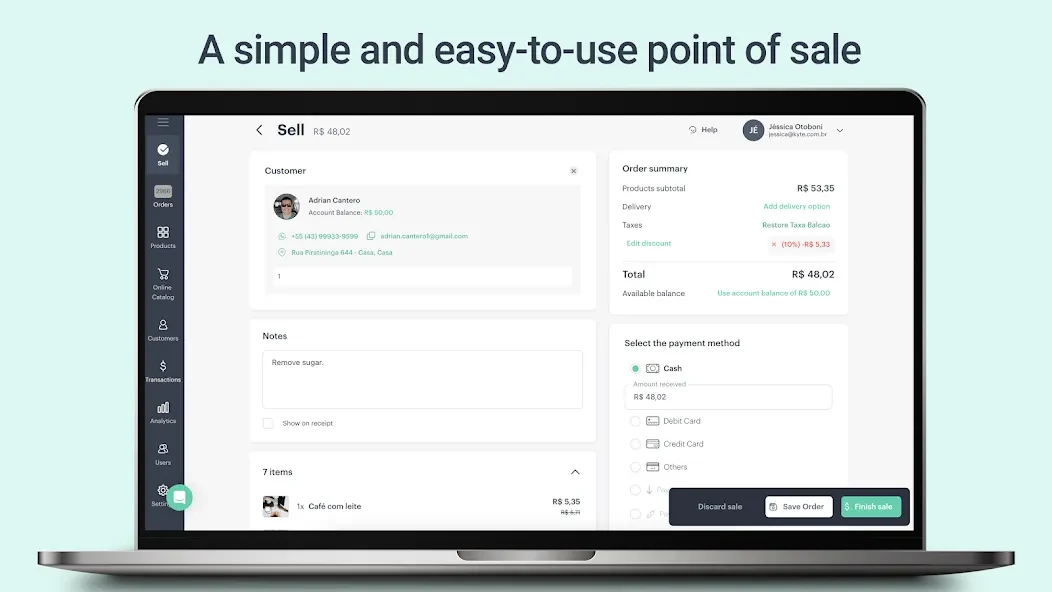
⭐ Run sales with a mobile point-of-sale system. Products can be added to a cart, payments can be managed, and sales can be tracked from a phone. The source also identifies barcode scanning, a cash register feature, and sales tracking as part of the POS toolkit.
⭐ Monitor inventory as stock moves in and out. Inventory tools are designed to show stock levels, incoming products, shop inventory, and the relationship between sales and available items, helping users watch for potential stockouts.
⭐ Manage orders from connected sales channels. The app supports online storefront orders linked with Instagram, Facebook, and WhatsApp, allowing users to track orders, update their status, and keep customers informed as orders progress.
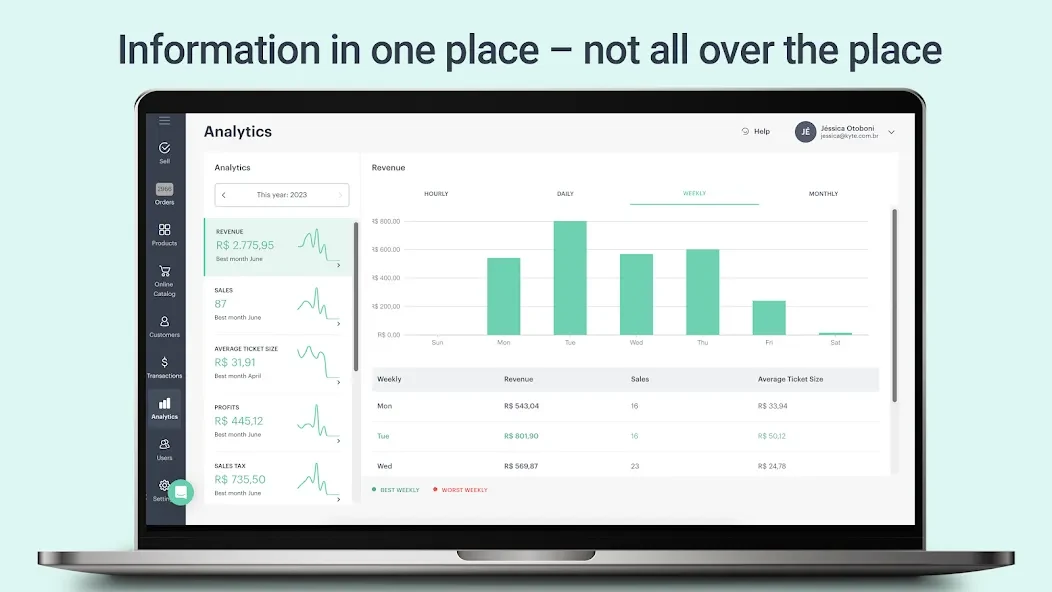
⭐ Review business performance with analytics. Users can examine top-selling products, revenue trends, and broader sales information to gain a clearer view of how the store is performing.
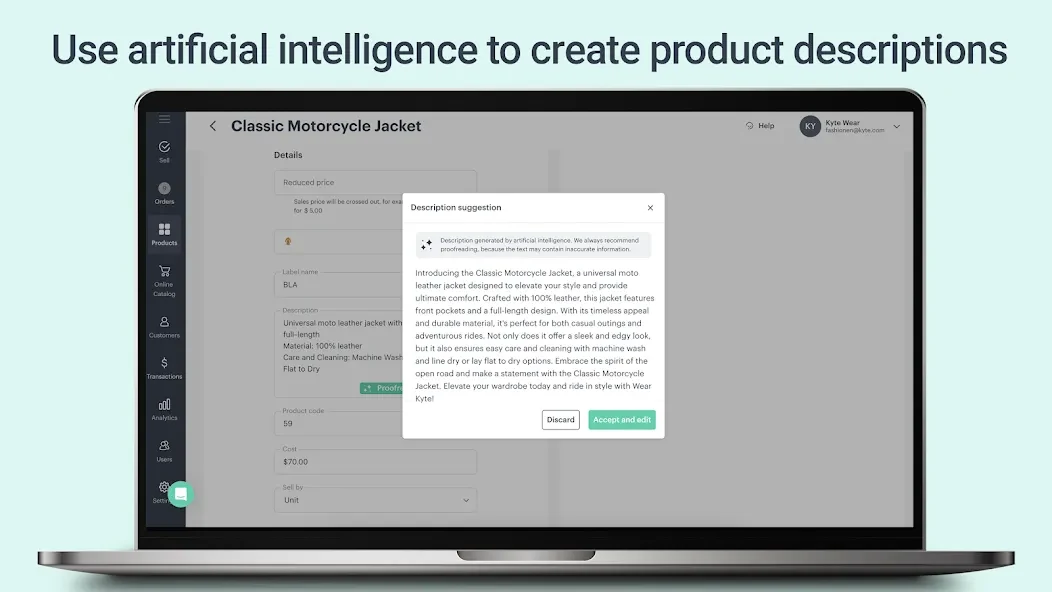
⭐ Use AI-assisted product descriptions to create written copy for products. This can help sellers prepare catalog listings without writing every description from scratch.
Using the App
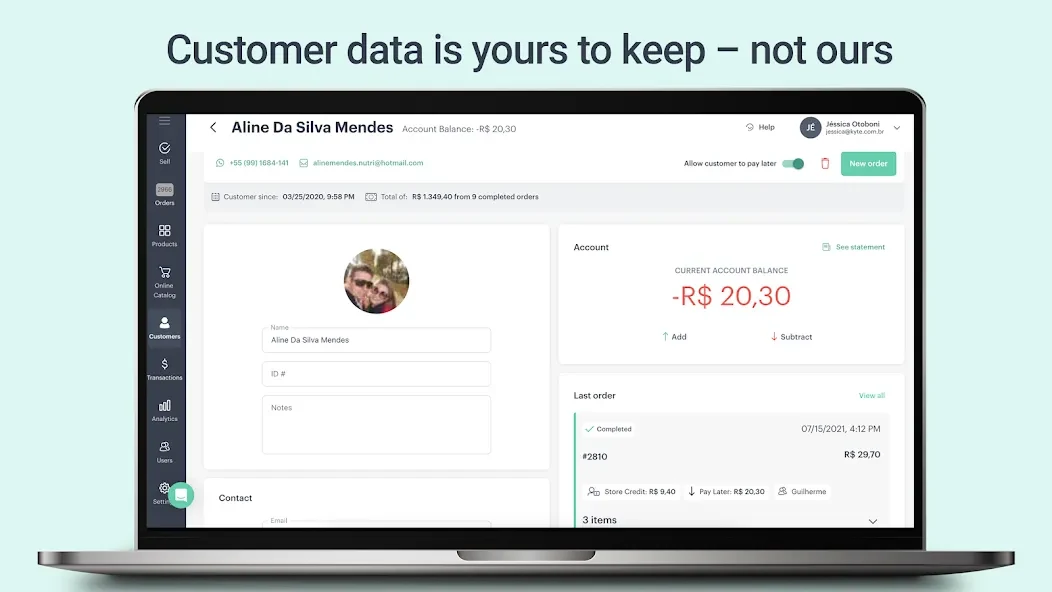
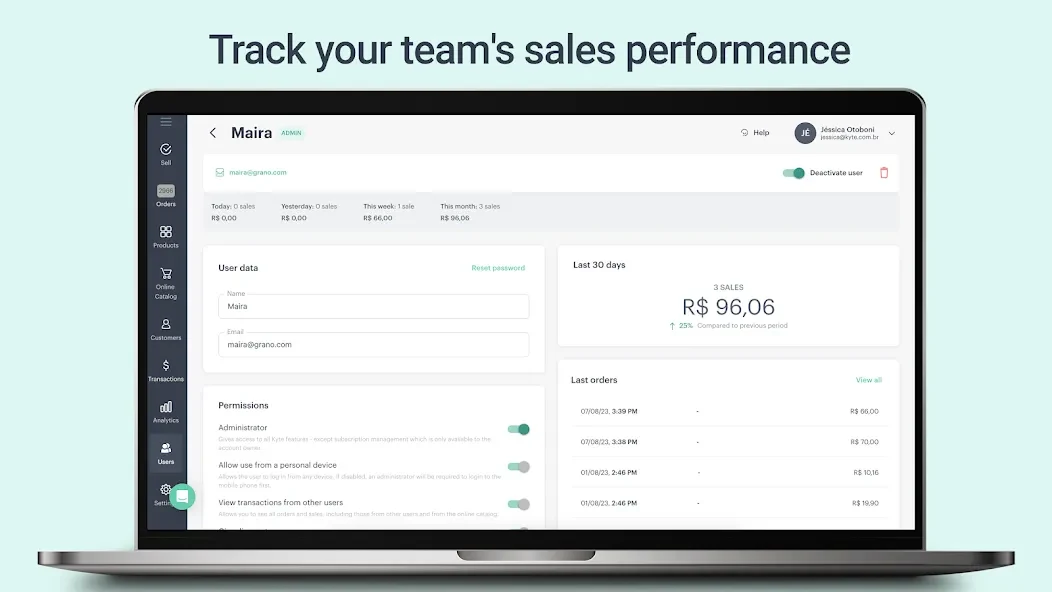
The app is designed around mobile management, so store information and sales tools can be handled from a phone rather than being limited to a fixed counter. A typical workflow can begin by adding products to the digital catalog, then using those items in the POS when a sale takes place. Inventory information can be updated as stock arrives or products are sold, while online orders can be followed through their status. At the end of a busy day, transaction information can be reviewed and sales activity checked through the analytics area. Team collaboration and access for different salespeople are also described in the source, supporting businesses where more than one person handles sales.
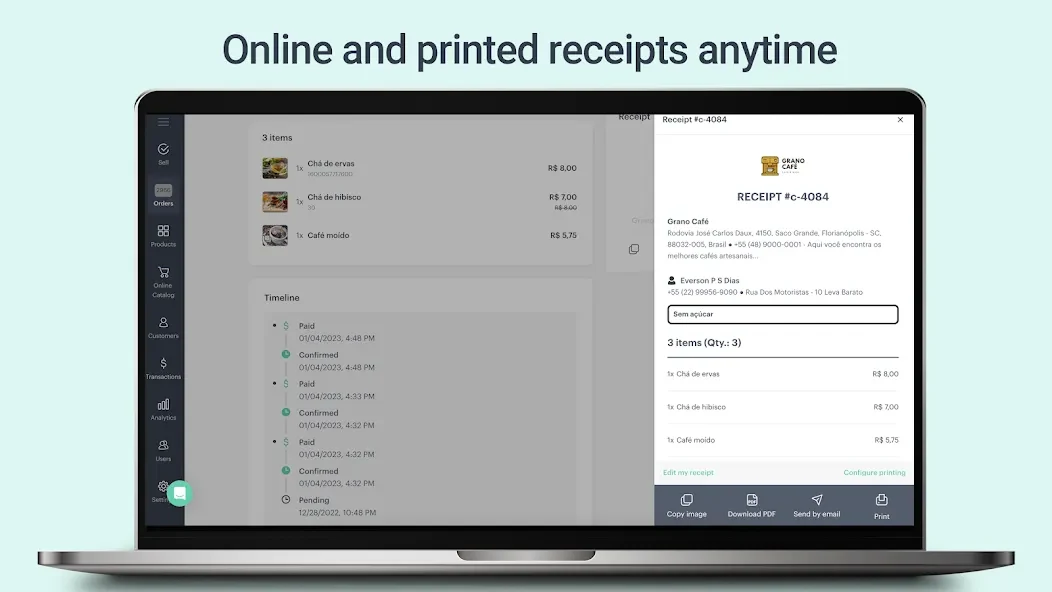
Receipts can be used to record transactions and present the business identity during sales made in a shop, at a fair, or while working away from the main location. The service also supports a storefront that can be connected with social accounts, bringing catalog browsing and order handling closer to the platforms where customers already interact with a business.
Why It May Appeal
✅ It combines several everyday retail tasks in one mobile tool, including POS sales, catalog publishing, inventory monitoring, order tracking, and analytics.
✅ Social selling is built into the described workflow through connections with Instagram, Facebook, and WhatsApp, rather than treating online orders as separate from store operations.
✅ The catalog and AI description tools can reduce the work involved in presenting products online, while inventory updates provide a practical way to follow stock alongside sales.
✅ The source describes an online storefront that can be launched without the excessive fees or commissions associated with some other services. Availability and terms for any specific plan should be checked within the app.
Things to Consider
❎ User comments mention that the free version limits some product image handling, with one user reporting difficulty adding more than one photo to a product. This may matter to sellers whose products come in multiple colors or need several views.
❎ A user also requested a promotion feature for entering discounted prices more efficiently, while another asked for CSV or Excel export. These comments indicate that discount management and data export may not cover every workflow users want.