
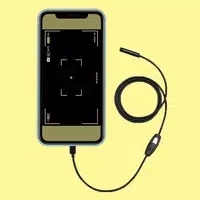
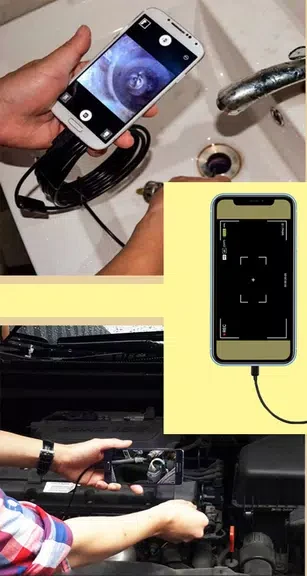
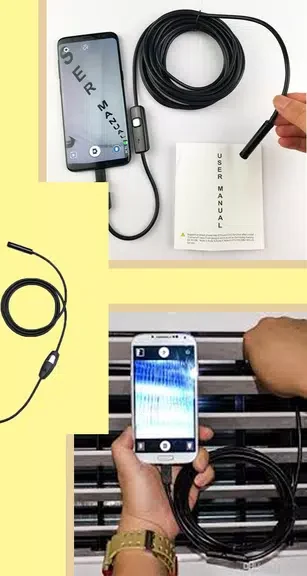
Camera endoscope / OTG USB is a specialized utility designed to connect external USB camera devices, borescapes, and endoscope cams directly to your Android smartphone. By turning your mobile device into a portable display and control center, the application enables you to inspect hard-to-reach areas such as plumbing lines, sewers, and tight mechanical spaces without requiring dedicated inspection monitors. Users can quickly initialize the system by launching the software, plugging in an external camera via an appropriate cable, and tapping the on-screen capture icon to take pictures or record footage. This setup provides a practical alternative for routine checks and basic home maintenance tasks.
Connecting and Operating Your External Camera
To ensure reliable performance, verification of the hardware link is necessary before launching the application. Making sure your external USB or endoscope camera is securely plugged in via an OTG cable allows the software to recognize the device immediately. Once connected, operating the camera involves straightforward interactions through a streamlined interface where clicking the designated icon initiates photo capturing or video recording.
Built-In Media Gallery and File Management
Captured visual data remains easily accessible through an integrated media gallery that consolidates all your stored photos and videos in one location. Navigating through recorded files is intuitive; for instance, sliding your finger to the left reveals stored video files so you can select and play them directly within the interface. When storage management becomes necessary, clearing out unwanted media involves a simple long-click on the specific image or video file and selecting the delete icon to remove it from your device.
Practical Inspection Applications
Utilizing your smartphone alongside an external camera offers a cost-effective method for handling minor residential or workspace evaluations. The tool supports independent visual checks for blocked drains or sewer lines, helping users assess underlying issues directly. By managing inspections on your own device, you can view problem areas firsthand and reduce the reliance on specialized external viewing equipment.