


How does Brave protect online privacy and block unwanted content?
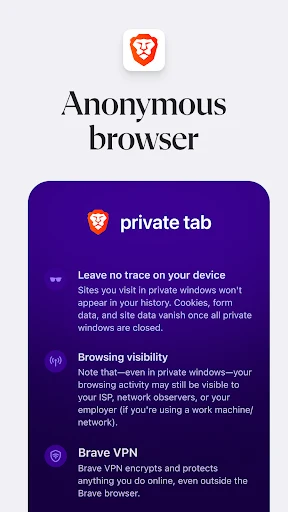
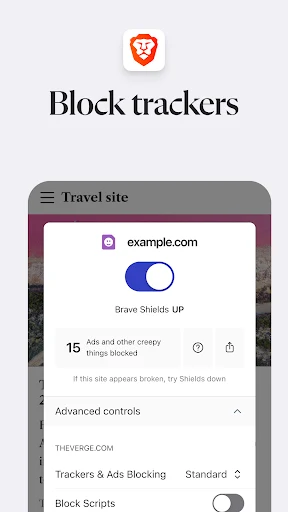
Brave incorporates built-in ad-blocking technology and tracker prevention directly into the browser. By tapping the shield icon located in the address bar, users can confirm that ads, trackers, and third-party cookies are being blocked. The browser actively works to block malware and phishing attacks to safeguard user data. Additionally, it offers Tor integration to provide an extra layer of protection when visiting specific websites, and users can open privacy tabs when they prefer not to save browsing history on their device.
What performance benefits and interface options are available?
Built with efficient resource utilization, Brave provides a smooth browsing experience and loads web pages up to 6 times faster than Chrome on mobile devices. The mobile-friendly interface ensures that all functions remain easily accessible on the phone screen. Users can further customize the look and feel of the browser using themes, adjust individual website settings if a specific page requires special access permissions, and modify their privacy and security preferences through the settings menu.
How can users utilize Brave Search and the built-in AI assistant?
To maintain the independence and privacy of search queries, users can open the browser settings, select search engines, and set Brave Search as their default option. For assistance with reading and web navigation, users can open the three-dot menu and select Leo. The Leo assistant can be used to ask questions, summarize page content, or translate text directly within the browser environment.
What device-wide protection and cross-device synchronization features does Brave support?
For device-wide security, users can navigate to settings, locate the firewall and VPN options, and enable connection protection across all applications on their device. Furthermore, Brave supports cross-device sync. This feature allows individuals to access open tabs and bookmarks stored on multiple platforms, such as Windows and Mac OS X, from other supported devices running the Brave browser.
What are the known performance trade-offs of using Brave?
While Brave offers rapid page loading and comprehensive privacy features, users should note certain functional limits. The browser features limited extension support. Additionally, strict ad-blocking measures can occasionally cause website compatibility issues on specific web pages.