
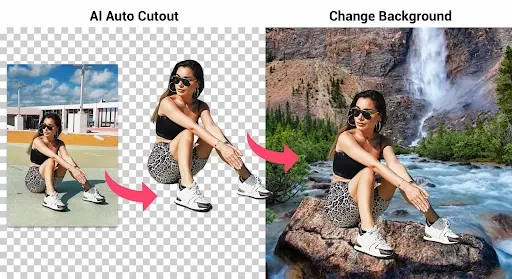

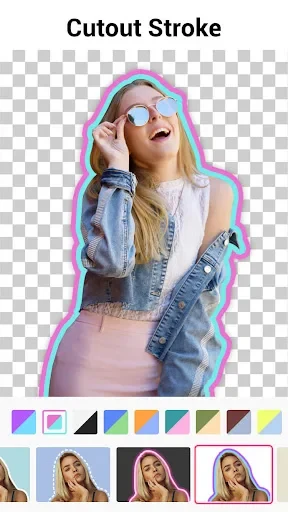
Background Eraser is an Android photo editing app designed to erase the background of a picture so you can cut a person or object out and paste it somewhere else. You choose a photo, mark the areas you want to remove, and then refine the edges with additional tools. The app is also described as a way to replace skies, apply creative effects, blur backgrounds, and add stickers to an image.
Automatic and manual background removal
The most prominent tool is the automatic brush, which lets you mark the background area so the app can delete it. You can also remove a background by selecting a small part of the image or by selecting the entire background with the help of the app's AI system. Touching content in the photo is described as enough to separate the background from the subject, which makes the basic workflow quick.
For more exact results, the remaining tools let you erase the background with greater precision and define the borders of the figure more carefully. The listing notes that this kind of detailed work takes more time than the automatic brush, so it is best reserved for edges that need closer attention.
Replacing backgrounds
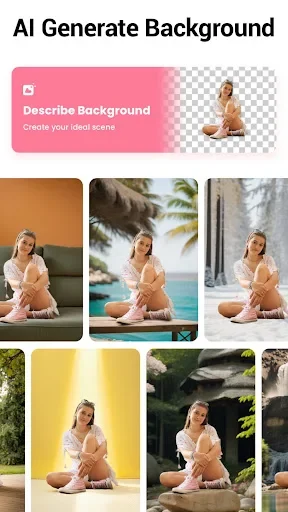
After removing a background, you can place the subject on a different one. The app includes a collection of backgrounds with varied content, including backdrops inspired by well-known cities such as Paris, London, New York, and New Delhi. You can also select a photo from your device's storage and use it as the new background, which allows you to combine images into a single composition.
Deleting and cutting unwanted objects
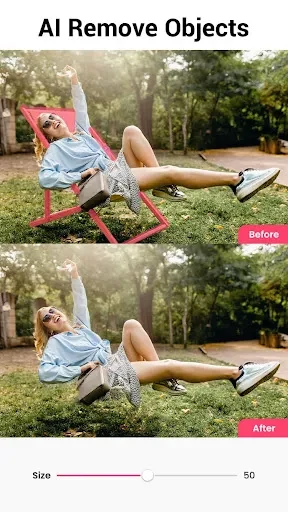
The app also includes erasers and cutting tools for removing distracting objects. You select the area you want to delete, and the system removes it automatically. The listing suggests editing any leftover details afterward so the final image looks more consistent.
Saving and color adjustment
When editing is complete, the image is saved automatically in PNG format with no background. You can alternatively save it as a JPG with a white background if you want a smaller file. Before saving, you can use the color adjustment tools to adapt the image to your needs. The listing says the app's algorithms are designed to keep pixels intact at high definition, although the exact output quality will depend on the source photo.
Common uses and sharing
The app is presented for several everyday purposes, such as creating a profile picture, designing visuals for projects, or combining photos into a creative image. Saved photos with the background removed can be shared on social networking sites.
Interface and premium version
The interface uses a modern layout, and the listing describes its controls as familiar to anyone who has used other photo editing apps. Drag-and-drop actions are presented as a simple part of the editing process. The app also offers a premium upgrade, which the listing describes as an ad-free experience with access to all features. The source does not specify which features are limited in the standard version, so you should check the app's in-app information before purchasing.