

AutoRun Manager is a startup management tool for Android devices that helps users identify applications launching automatically during boot and review their effect on system resources. Its main task is to manage startup activity, particularly apps associated with high performance demands or significant power consumption. The app also provides real-time views of CPU, memory, and storage use, along with a one-tap optimization tool. A checklist-based interface is intended to make app selection straightforward, while its basic operation is reported to work without root access.
How does AutoRun Manager handle apps that start with the device?
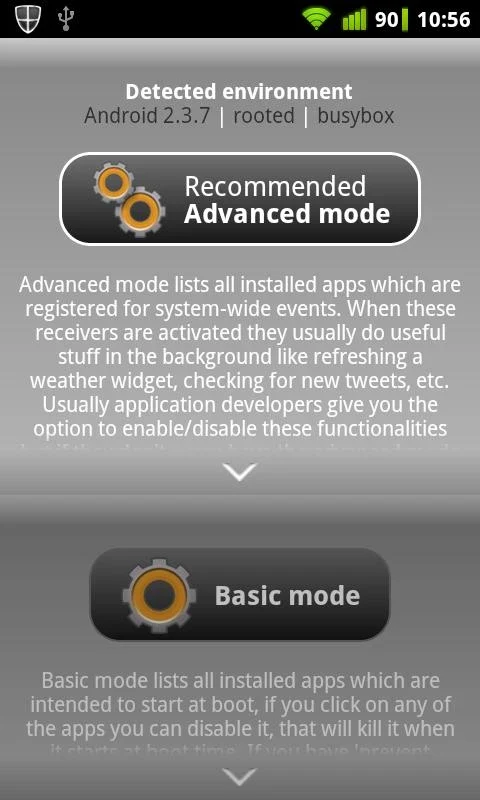
In basic mode, AutoRun Manager lets users select applications from lists and manage apps that start when the device boots. Applications are terminated shortly after starting, which can help address unwanted startup activity. However, an app may restart itself, and some applications cannot be stopped because of Android system design.
Apps identified as self-restarters are marked accordingly and are better left enabled. The source also notes that there are no documented controls specifically for blocking every unwanted startup app, so the available behavior should not be treated as a universal startup-blocking system.
Can it help with battery use and device performance?
The app is designed to identify power-hungry applications and energy-draining background apps. Managing these applications may help users reduce unnecessary background activity and extend the time between charges. It also aims to free RAM for demanding activities such as gaming and heavy multitasking.
AutoRun Manager includes a one-tap optimization function for quickly optimizing the device's current state. These tools are focused on startup and resource management rather than providing a broad set of unrelated device functions.
What system information and app details are available?
An easy-to-read dashboard provides real-time monitoring of CPU health, memory usage, and storage. The app also offers reports covering application permissions and resource consumption, giving users information they can use when reviewing unfamiliar or resource-intensive software.
Who can use the advanced startup controls?
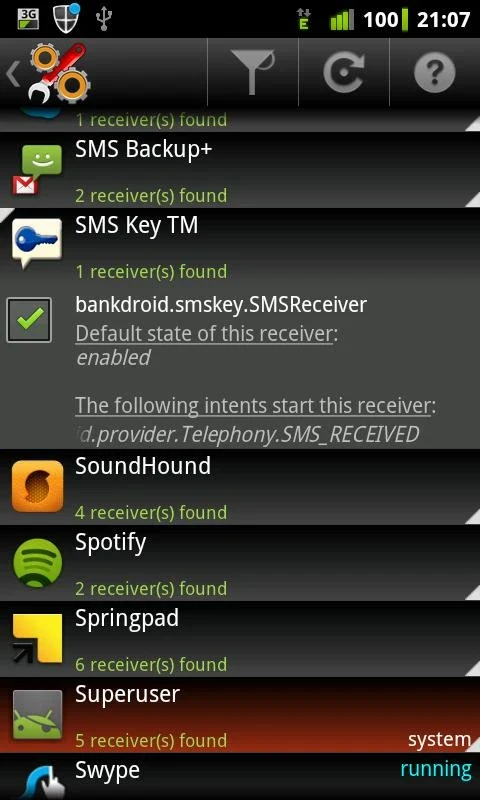
Advanced mode provides control over system-wide events and lets users enable or disable application starts. Because changing these settings can break apps, the source describes this mode as intended for experienced users with rooted devices. Basic use, in contrast, is reported to function without root access.
AutoRun Manager may therefore suit users who want a focused way to review startup applications, inspect resource use, and apply quick optimization. The listed minimum operating system is Android 2.3.3 or later. Users considering advanced controls should understand the root requirement and the possibility of affecting application behavior.