

Overview
Auto USB Tethering is an application for managing USB networks on Android. It sets up USB network sharing so that connecting a USB cable automatically activates the connection while disconnecting it turns the network off. This removes the need to handle connectivity manually and lets users focus on using the network. The app works with notifications and haptic feedback to show connection status without requiring users to check the device screen. It suits anyone who relies on USB tethering for internet access across different environments.
What You Can Do
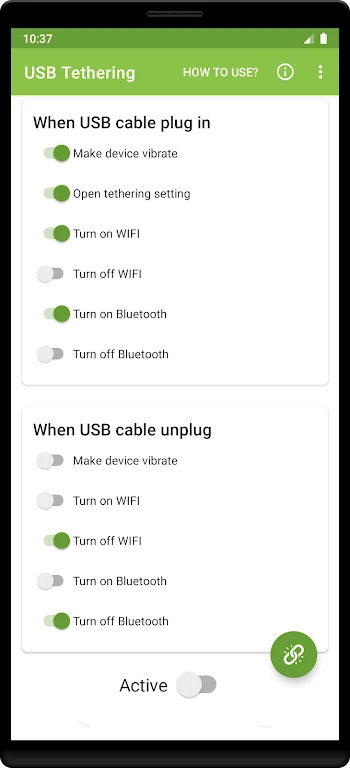
⭐ When a USB cable is plugged in, the app automatically enables USB tethering, turns on Wi-Fi, sends a notification, and vibrates the device to confirm the change.
⭐ When the USB cable is unplugged, the app automatically turns off Wi-Fi to end the shared connection.
⭐ The app provides notifications and haptic feedback so users can track connection status without looking at the screen.
Using the App
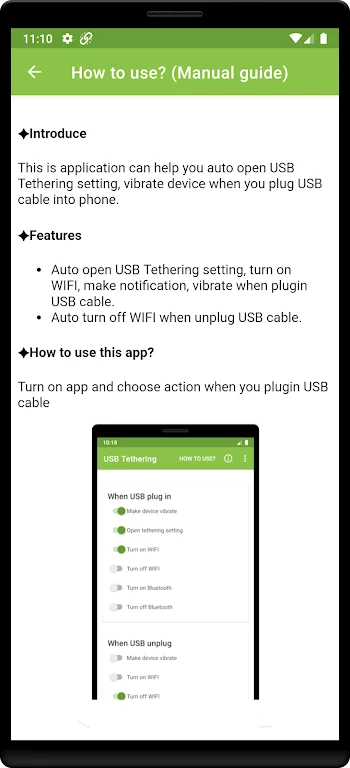
Users must first manually activate USB network sharing in system settings on the device. The app then takes over automatic activation when the device connects to a computer or Mac via a data cable. Root access on the device is required, and the app must be granted root permissions. The automatic USB sharing function must also be enabled inside the app. Once set up, the workflow runs without further manual intervention as long as the listed conditions remain met.
Why It May Appeal
✅ The clean and intuitive interface simplifies management of mobile network connections so users can access all functions without extra steps.
✅ Automatic handling of connection and disconnection saves time for people who frequently share networks and need stable access without repeated settings changes.
✅ Notification and haptic feedback features allow status checks in any environment without constant device interaction.
Things to Consider
❎ The app requires root access on the device and proper configuration before automatic functions become available.
❎ Due to security mechanisms on Android 10 and higher, some functions may not work as expected.